There’s an overwhelmingly broad selection of NBN plans to choose from, with download speeds ranging from relatively fast to utterly blazing. But they also have the price tags to match, with the top tiers costing over $150 per month.
Superfast plans may seem like the best option in the age of streaming, working from home and online gaming. But they may be overkill for the average home and you could wind up paying for a service you don’t really need.
Alternatively, the most affordable options may not supply enough bandwidth depending on the size of your home. This can lead to connection issues, lag or the dreaded dropout.
The ideal NBN plan is largely determined by how many people are connecting to the network at any given time. So, we’ve broken down the best options based on the size of typical households in Australia.
Note, this article doesn’t cover alternatives to the wired NBN network, such as satellite NBN, Starlink and 5G modems.
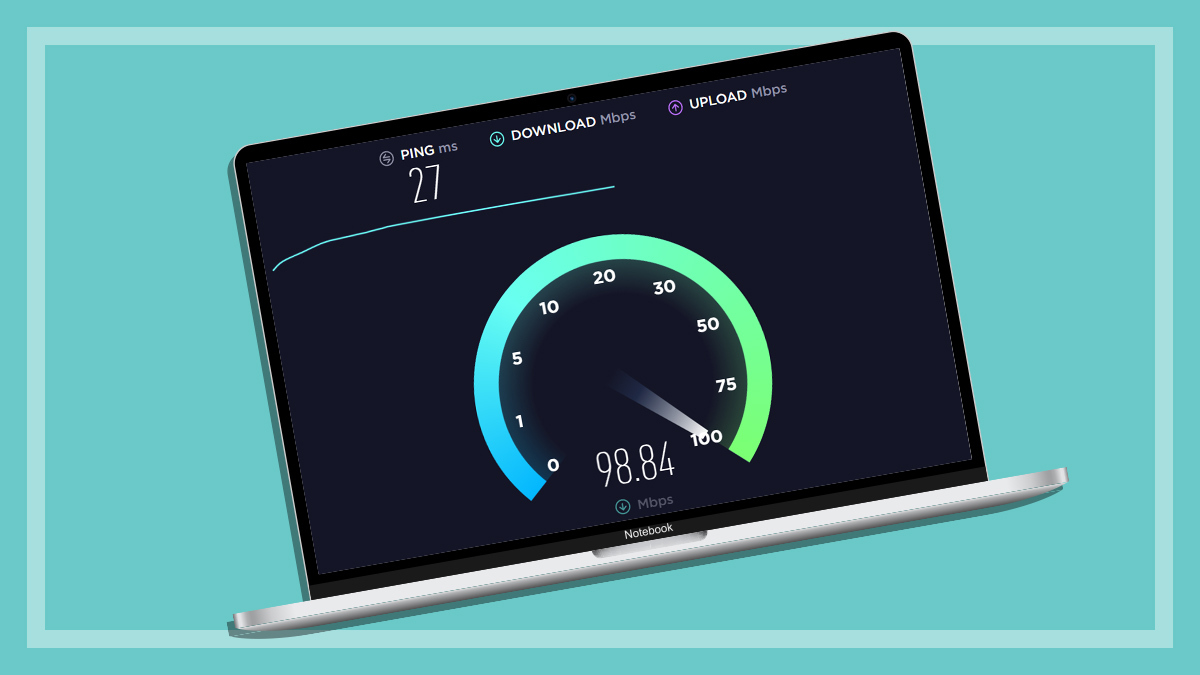
Internet service providers (ISPs) sell a variety of NBN packages – aka plans – to consumers, with download and upload speeds advertised in megabits per second (Mbps). For example, a 100/20 plan means download speeds of up to 100Mbps and upload speeds of up to 20Mbps.
But the word “speed” is a bit misleading, because these numbers actually refer to two things that essentially happen at the same time:
Upload/download speeds: How quickly you can download and upload files (which also affects video streaming quality).
Bandwidth: The total amount of data available on the network per second, which affects the number of devices that can be connected and in use at the same time.
While speed is an important factor, larger households of four or more people can really benefit from so-called “high-speed” plans because of the extra bandwidth they provide. Think of it as breathing room for internet access that allows more space for internet enabled devices to run at the same time without connection issues.
Things like video streaming, web browsing, online gaming, working or studying from home and even smart devices, including lights and security cameras, all require a bit of bandwidth. It all adds up and eventually your home network can hit the maximum amount of data supplied by your NBN plan, per second.
For example, a 100/20Mbps plan can download up to 100 megabits of data every second. So if you’re streaming video that uses 20Mbps, you’re using one fifth of the data allocation per second. That leaves 80Mbps left for other devices on the network.
At this point, some devices will slow down or drop off the internet entirely. There’s only so much bandwidth to go around.
Text-only accessible version
500Mbps NBN connecting to a single device in a home can deliver a maximum download speed of 500Mbps for that device.
500Mbps NBN connecting to four devices in a home can deliver a maximum download speed of 125Mbps per device.
This is a technical example that doesn’t factor in the range of devices and their networking capabilities, typical evening speeds, content being consumed on each device etc. Actual performance will vary.
High-speed plans can be useful for online gaming as well. There’s enough bandwidth to mostly eradicate lag (aka “ping”) while other people are using the network, which is a big deal for fast-paced games like first person shooters.
How does my home connect to the NBN?
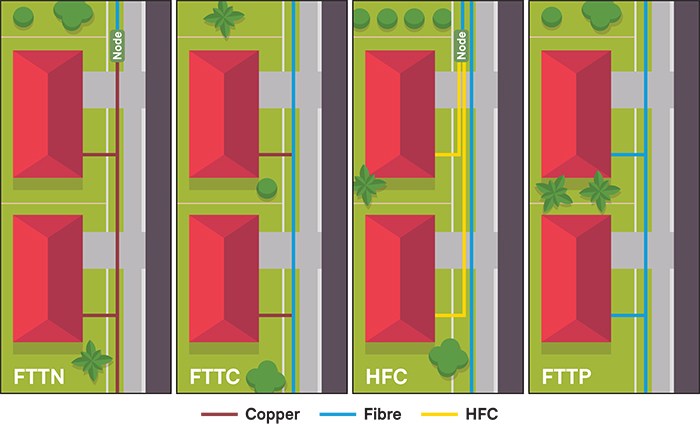
Typical homes get online via one of four wired NBN connection types. These also determine the maximum speeds/bandwidth available to your property.
Fibre to the Node (FTTN): 100Mbps
Fibre to the Curb (FTTC): 100Mbps
Hybrid Fibre Coaxial (HFC): 2000Mbps
Fibre to the Premises (FTTP): 2000Mps
You can enter your address at this link to find out how your home hooks up to the NBN – NBN address checker.
But not everyone needs a crazy-fast, bandwidth-heavy NBN connection, which is why ISPs offer a range of speed plans. The wholesale tiers are:
FTTN and FTTC: 25/50/100Mbps
HFC and FTTP: 25/50/500/750/1000/2000Mbps
Most ISPs stick with the wholesale tiers but some make slight adjustments. Optus, for example, sells an 820Mbps option in place of 750Mbps, with a higher monthly fee.
Each tier has a wholesale name which is used my most ISPs. E.g. 500Mbps is called “Home Fast II” while 750Mbps is “Home Superfast.”
Note FTTN and FTTC homes and FTTB apartments may need to purchase a 500Mbps plan to access their 100Mbps speed cap. 100Mbps plans have been phased out in some locations, having been replaced by 500Mbps for the same monthly cost.
But FTTC, FTTN, FTTB properties may still have the option to pay for a 100Mbps plan if they don’t wish to upgrade.
Typical NBN connections for Australian homes.
Apartment buildings and the NBN
Apartments also use Fibre to the Building (FTTB), which is similar to FTTN. The fibre NBN cable reaches a junction in the building, where internet access is then distributed to the apartments using existing cables.
These can vary depending on the age of the building and whether infrastructure has been upgraded over time. Cables in the building ultimately determine your maximum NBN speeds. This information is also available at the NBN address checker.
Can I upgrade my NBN connection?
Yes, possibly at no extra charge! NBN Co. is rolling out FTTP upgrades for FTTN and FTTC properties across the country, with most ISPs offering free installs. Once connected, you may be upgraded to a faster speed tier for free.
Check availability at the NBN address checker. Read the article below for a detailed breakdown of the connection types and how to upgrade.
Plan names (wholesale), Old speeds (download and upload), New speeds (download and upload), connection requirements.
Home Fast II: 100/20 Mbps, 500/50Mbps, HFC/FTTP.
Home Superfast: 250/25 Mbps, 750/50 Mbps, HFC/FTTP
Home Ultrafast: 1000/50 Mbps, 1000/100 Mbps, HFC/FTTP
Home Hyperfast: new speed tier, 2000/100 Mbps, (HFC) or 2000/200 Mbps (FTTP)
Notes: Maximum download/upload speeds in megabits per second (Mbps). Connection requirements for typical home on fixed line connection. Does not include FTTB, fixed wireless or satellite plans. Home Hyperfast internet requires FTTP for maximum upload speeds of 200Mbps. HFC has a maximum upload speed of 100Mbps.
Remember, while speed is important, bandwidth plays a significant role, especially in larger households. When multiple people are connected to the same network at the same time, bandwidth can quickly fill up and slow everything down.
It’s probably worth steering clear of 50Mbps altogether, regardless of the size of your house. This tier isn’t much cheaper than the next one up – 500Mbps (or 100Mbps for FTTN/FTTC properties).
The price difference is usually no more than $2–3 per month, or $24–36 over the course of a typical 12-month contract. But the speed and bandwidth differences are substantial, ultimately making NBN50 feel like a bit of a rort.
Below are some typical household scenarios to help you narrow down your NBN needs.
Note: FTTN, FTTC and FTTB properties may still have the option to sign up for the original Home Fast I plan with a 100Mbps speed cap. Telcos primarily offer Home Fast II with a 100Mbps cap for the same price, but Home Fast I may still be the default option depending on your location and whether an upgrade is available.
Text-only accessible version
Very basic use: Plan, Home Standard, 25Mbps. Price range per month, $70-90. Peak speeds on FTTN and FTTC, 25Mbps.
One resident:Plan, Home Fast II 500Mbps. Note, 50Mbps plans have amble bandwidth for one user but are not much cheaper than the faster 500Mbps tier. Price range per month, $85-100. Peak speeds on FTTN and FFTC, 100Mbps.
Two residents:Plan, Home Fast II 500Mbps. Price range per month, $85-100. Peak speeds on FTTN and FFTC, 100Mbps.
Four residents:Plan, Home Fast II 500Mbps. Price range per month, $85-100. Peak speeds on FTTN and FFTC, 100Mbps.
Five residents:Plan, Home Superfast 750Mbps. Price range per month, $105-120. Peak speeds on FTTN and FFTC, 100Mbps.
Information based on wholesale tiers. Upload speeds are not included but typically range from 10-50Mbps at these tiers.
Households of four or more on FTTN/FTTC connections should consider a FTTP upgrade.
I only need the internet to check emails (aka the most basic user)
Plan: Home standard – 25Mbps
Price range: $70 –90/month
If your browsing needs are basic, go for an 25Mbps plan. There’s enough bandwidth here to tackle typical tasks for one, or maybe two devices, at a time – like web browsing, checking emails, downloading pictures and signing documents. You should be able to stream audio and video too on one device at a time.
House of one
Plan: Home Fast II – 500Mbps (or 100Mbps for FTTN/FTTC)
Price range: $85–100/month
Fighting for bandwidth isn’t an issue if you’re living alone. But an 500Mbps (or 100Mbps) plan gives you the breathing room for just about anything, including running multiple smart devices at the same time and quickly downloading large files.
50Mbps will be suitable for households and working a typical office job from home, if they were competitively priced. But the savings are minimal, 50Mbps just isn’t worth it unless you’re on a super tight budget.
House of two
Plan: Home Fast II – 500Mbps (or 100Mbps for FTTN/FTTC)
Price range: $85–100/month
The ideal plan for a house of two is more or less the same as a single resident. However, the odds of two or more devices that demand substantial bandwidth, operating at the same time is much higher.
500Mbps has more than enough room for two demanding users alongside a series of smart devices that require far less bandwidth at the same time. But this could reach 50Mbps’s bandwidth cap pretty quickly.
A 100Mbps plan or speed cap will be suitable for two residents if Home Fast II isn’t available for your property.
Plan: Home Fast II – 500Mbps (or 100Mbps for FTTN/FTTC – but consider upgrading if you can)
Price range: $85–100/month
This is an environment that needs a fair bit of bandwidth for non-entertainment purposes, as well as the usual fun stuff like gaming and streaming. Parents may be working from home while kids or teens are watching video tutorials for their next assignment, for example.
Large downloads and uploads are usually involved as well. This is where faster speeds come in handy, provided the bandwidth is available.
All of this still probably won’t hit the 500Mbps cap available to HFC and FTTP households. But 50Mbps isn’t enough for a house of this size.
Properties stuck on FTTN and FTTC can probably get by on a 100Mbps connection, but only just. It’s worth looking into free FTTP upgrades in your area as this will open up the 500Mbps tier at no extra charge.
Larger households of five or more
Plan: Home Fast II or Home Superfast – 500 or 750Mbps
Price range: $85–100 or $105–120/month
Big households need enough speed and bandwidth for just about any usage scenario. Lots of residents equals lots of variety, and 750Mbps is equipped to handle that. There’s the possibility of five uni students attending online lectures at the same time, for example.
500Mbps will be fine if your home isn’t loaded with lots of simultaneous streamers, online gamers and smart devices. But tech-heavy households are better off paying a little more for 750Mbps, especially if guests are regularly coming around (which is often the case in share houses).
And the old practice of “making a cup of tea while files and updates slowly download” will be a thing of the past. You may have time to down a glass of water, but that would be it.
Beyond the world of megabits are two ultra-fast NBN speed tiers called gigabit (Gbps) internet. These have speeds or bandwidth of up 1000–2000Mbps, or 1–2Gbps.
But they don’t come cheap. Gigabit internet costs around $130 per month, minimum, with NBN2000 plans running as high as $170 per month.
That’s a lot of money! Is it worth it?
For the average home, probably not. Even large households of five or more are unlikely to use everything these plans have to offer.
However, bandwidth-heavy households that could benefit from a gigabit connection are:
Very large homes of eight or more people with lots of online tech.
Homes with many online gamers who want to limit lag as much as possible.
Households where lots of people work from home at the same time.
You may need to update your equipment to access the fastest NBN speeds.
Does my home need high-speed uploads
The second number in NBN plans refers to the upload speed in megabits per second – 500/50, for example. These are much slower simply because the average user isn’t uploading as much stuff day to day.
Photos, documents, maybe a video here and there? That’s probably it.
Pretty well all households don’t need any more than 50Mbps for uploads. Some ISPs sell plans aimed at content creators who are regularly streaming or sharing lots of content – particularly high-resolution video.
They have much higher upload speeds than what you’d normally find at those price points. Superloop, for example, sells two packages that cost just over $100 per month:
Megaspeed: 750/50Mbps, $104
Creator: 250/100Mbps, $102 (in this case, download speeds are reduced to accommodate upload speeds beyond the standard wholesale packages).
That said, one person streaming video won’t require substantial upload speeds – 50Mbps will be fine if, for example, you want to stream gameplay videos on Twitch from time to time.
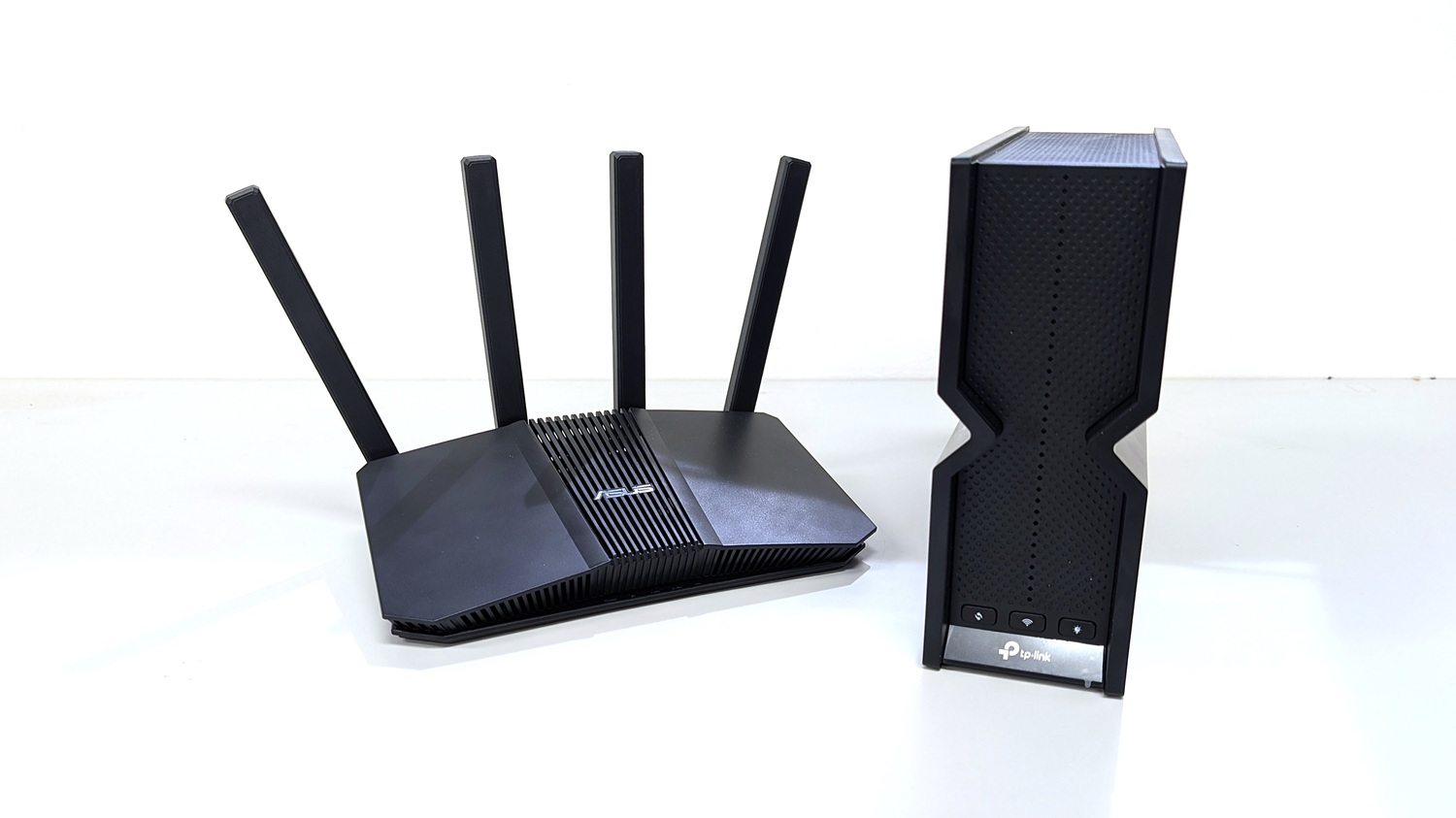
Older Wi-Fi routers aren’t able to deliver high-speeds available on the NBN. You may be limited to 100Mbps depending on the age of your router, regardless of the plan you’re paying for.
Typical homes should be using a Wi-Fi 6/6E or Wi-Fi 7 router. Not only do they have enough bandwidth for consumer NBN plans, they’re still receiving security updates from manufacturers. This helps keep your home network safe from cyberattacks.
Why we've partnered with WhistleOut

We've partnered with search engine WhistleOut to help you find and buy the right plan for you.  While we make money if you buy through WhistleOut, this doesn't influence our rankings. 100% of the money we make goes straight back into our nonprofit mission.
Peter Zaluzny is a Content producer in the Digital home team. He covers everything from home entertainment and personal safety devices to tech for your car and mattresses.
Peter enjoys cutting through the nonsense to help people understand the products they’re considering to buy. He helps consumers make educated, informed decisions.
Peter has a Bachelor's degree in Journalism and a Bachelor of Arts from the University of Wollongong.
Peter Zaluzny is a Content producer in the Digital home team. He covers everything from home entertainment and personal safety devices to tech for your car and mattresses.
Peter enjoys cutting through the nonsense to help people understand the products they’re considering to buy. He helps consumers make educated, informed decisions.
Peter has a Bachelor's degree in Journalism and a Bachelor of Arts from the University of Wollongong.
For more than 60 years, CHOICE has been fighting the good fight for Australian consumers.
In the past year alone we've uncovered systemic issues with sunscreens, investigated shonky supermarket pricing, fought for stronger scam protections and helped make complex energy pricing fairer and clearer.
CHOICE is here to provide unbiased advice and independent testing in our world-class labs. We buy the products we test, just like you do, and our expert reviews are influence free. We’re here to help you choose smarter. Hopefully you’ll also save some money along the way.
Thanks to CHOICE, you’ll never be alone when a business treats you unfairly. You can support our work by joining or donating to our cause.