Dyson’s first wet and dry robot vac performed well for vacuuming hard floors but it did a terrible job at cleaning carpet and its mopping performance was underwhelming
Our tester found Dyson’s app to be quite basic, particularly when customising settings. Hopefully the app will be improved in a future update
At $1999 Dyson’s wet and dry robo vac cheaper than some other high-end models, so it’s a decent choice if you have mainly hard floors and don’t need intensive mopping
Dyson’s Spot + Scrub Ai ($1999) is the company’s first wet and dry robot vacuum. It’s been a long time coming. For several years now, virtually all the other robot vacuums coming into the CHOICE test labs have had some sort of a mopping feature, even if it’s just a basic microfibre cloth velcroed to the base. Our own research suggests that a mopping function is a must for prospective buyers, so mopping results now form a significant part of our CHOICE Expert Rating.
We were keen to see how Dyson’s offering compared to rival brands such as Ecovacs, Dreame and Roborock, so we borrowed a loan model so we could get it into our labs as soon as possible.
In our specialised labs, our expert Adrian Lini put it through our mopping test, as well as our usual dry tests on hard floor and carpet. (Stay tuned for our full results later, when we release our next batch of robot vacuum reviews.)
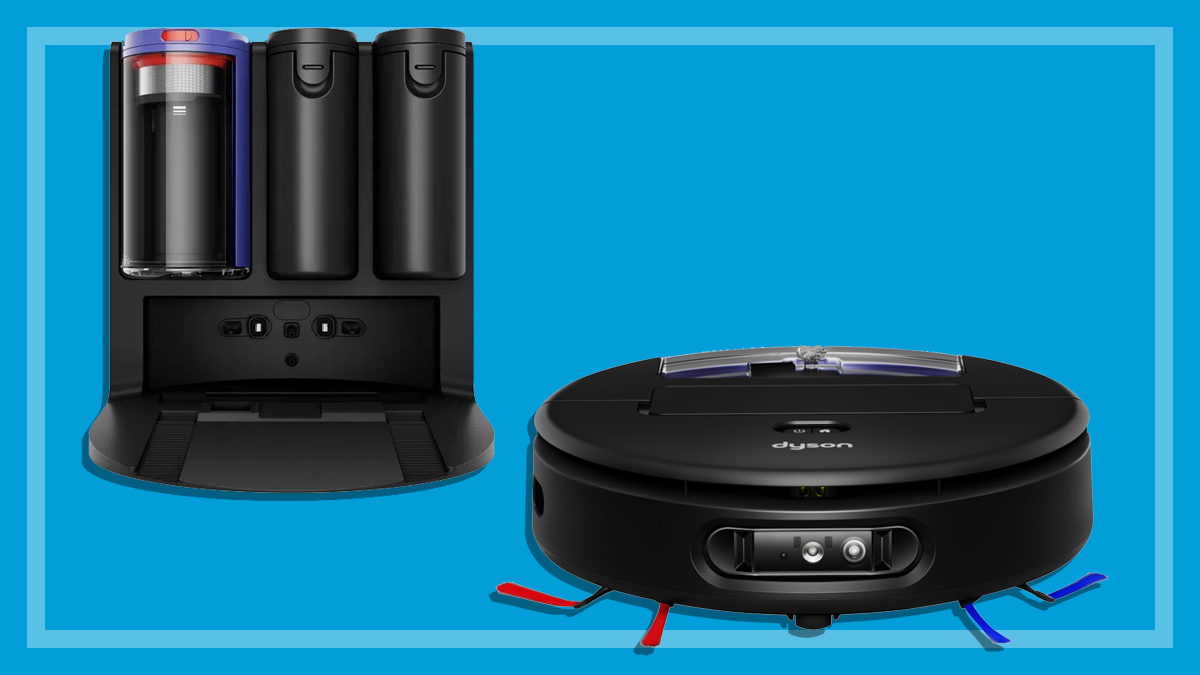
As the name suggests, Dyson’s latest robot vacuum uses artificial intelligence (AI) to help detect and remove stains. It has a self-cleaning wet microfibre roller for mopping, and dry debris is automatically emptied into the dock’s bagless bin.
It claims to have object avoidance recognition for almost 200 everyday items (such as cables and socks). To navigate, it uses LiDAR (scanning the room via pulsated lasers). Object recognition and room mapping is conducted by HD camera vision and lasers.
What’s in the box?
Docking station and docking ramp
The docking station comes with a 2.3L clean water tank and 2.3L dirty water tank (claimed capacities), a built-in dust filter, bagless dry bin and an automatic self-cleaning system for washing and drying the wet roller.
The robot also automatically returns to the dock when it needs a charge, which Dyson says takes three hours. The ramp attaches to the base and keeps the robot off the floor.
Wet and dry robot vacuum cleaner
There are various sensors and a camera at the front of the unit to help the robot map out rooms, avoid bumps and detect stains (it can’t be used as a security camera to be accessed remotely, which some people may find reassuring from a privacy perspective). Under the unit you’ll find:
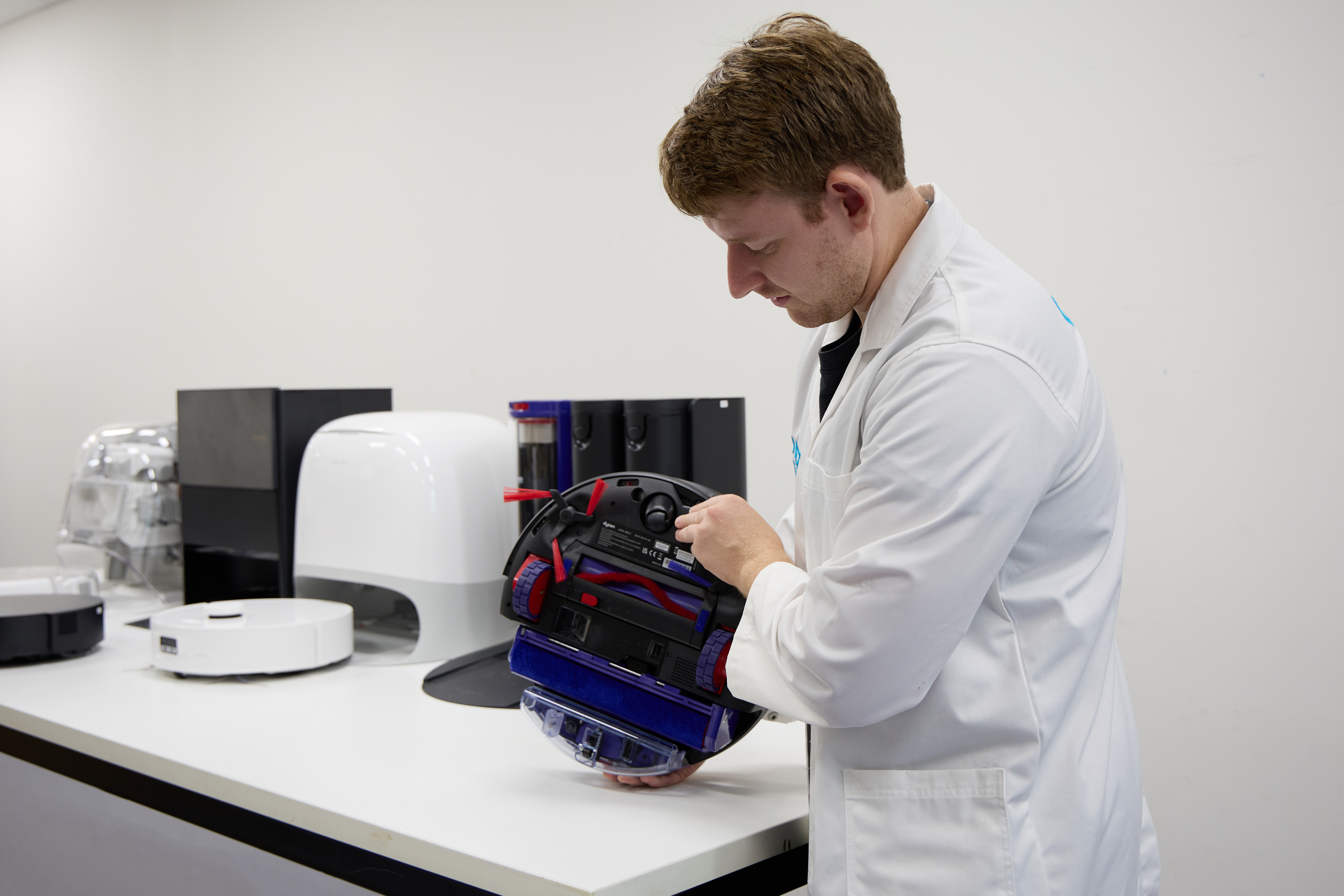
a dry bin with pre-installed filter
side sweepers
an anti-tangle brush bar (for vacuuming)
microfibre wet roller (for mopping)
dirty and clean water tanks.
The robot vacuum is more than 6kg and the dock 9kg. It is made in China and has a two-year warranty, with service support until at least September 2033.
Adrian took a look at how easy the app was to use when setting up and controlling the robot. Other ease of use aspects were also rated, with an emphasis on emptying the dust bin and using the mopping functionality (which can involve quite a bit of maintenance).
Overall this robot vacuum is easy to use, particularly when in mopping mode, but the app is a little basic.
MyDyson App
To control the robot vacuum and access its features, you’ll need to download the MyDyson app and set up an account to log in. Connecting it to our wireless network was seamless with no technical issues.
Dyson’s privacy policy states that it won’t sell any personal data, and any images generated on the robot vacuum (for image recognition/mapping purposes) are stored on the robot itself and never transferred or shared. Dyson says that maps are saved to the MyDyson app.
It’s not clear whether that data is stored locally or in the cloud, but the FAQs on the website state that “data transmitted between the robot’s sensors and our services is encrypted to help ensure customers’ information remains completely secure”.
Adrian found the app easy to use with no lag, but to some extent its simplicity is limiting as it doesn’t offer the same level of customisation as other manufacturers’ apps. For example there is no option to customise the vac’s sensitivity to colliding with objects, and no advanced menus regarding what to do if it reaches carpets or obstacles.
Adrian found the app easy to use with no lag, but to some extent its simplicity is limiting as it doesn’t offer the same level of customisation as other manufacturers’ apps
Some features aren’t immediately obvious and require you to navigate through multiple screens to find, and some of the quirks of the app make it confusing to use.
For example, you can customise settings for each room before starting a clean (such as mop hydration levels, quick cleaning mode and so on), but once you exit that screen it’s not immediately obvious whether the specific settings have been saved. This makes it trickier to confirm active settings. You also can’t change settings during the cleaning process, only pause or cancel a job.
Mapping was a lot easier, as you can easily save and edit multiple maps. The robot learns your home’s layout and lets you control areas you want cleaned. The robot will return to its docking station after mapping, or its starting point if it isn’t near the dock (for example, if it’s on another floor level).
CHOICE’s expert lab tester Adrian Lini inspecting the Dyson Spot + Scrub Ai
Maintenance
The complex nature of robot vacuum mops means maintenance is key to making sure rollers and filters are clean and that there’s always fresh water in the tank.
Maintaining the brush bar and microfibre wet roller is easy: the unit will wash the roller in hot water and dry it (you can specify how long the dryer can go for), so it’s not necessary to remove and wash it after every clean. The brush bar has an anti-tangle mechanism to minimise build-up of hair. Dyson recommends removing hair and debris from the brush bar and roller at least once a month.
The robot vacuum will empty dirt into the dock and it’s easy to empty the dirt receptacle once it’s full.
Filters in both the docking station and robot should be washed and dried at least once a month, too.
How well does the Dyson Spot + Scrub Ai actually clean?
The Dyson Spot + Scrub Ai wet and dry robot vacuum and its dock.
Dyson claims that the Spot + Scrub Ai has an advanced AI stain detection system that goes “over and over until the stains are removed” as well as a roller that “extends 40mm to reach edges”; both claims we wanted to examine more closely.
Our robot vacuum performance test involves both wet and dry cleaning. For the dry test, we assess dirt pick-up on both carpet and hard floors by letting the robot map the room then see how well it picks up sand that has been scattered around our test surfaces. For mopping, we leave several common household substances on a laminate wooden floor (espresso, soy sauce, jam, mud and red wine) to see how well the mop cleans them off. We also assess pet hair pick-up on carpet.
Hard floor testing
The robot vacuum was excellent at picking up dirt from hard floors on boost mode (which we used for testing to give it the best chance). It did a great job at navigating tricky edges like most of the chair legs and walls, but disappointingly it didn’t clean corners reliably, missing a few open as well as tight corners of the space, so overall we only rate it OK for corners and edges.
Carpet testing
Vacuuming on carpet is generally not a strong point for robot vacuums, and we’ve never seen one that excels at this. So would the Dyson be the exception to the rule? Sadly, no. It performed dismally at dirt pick-up from carpet, with very poor results (admittedly our test is tough, but there are many others we’ve seen that can do better).
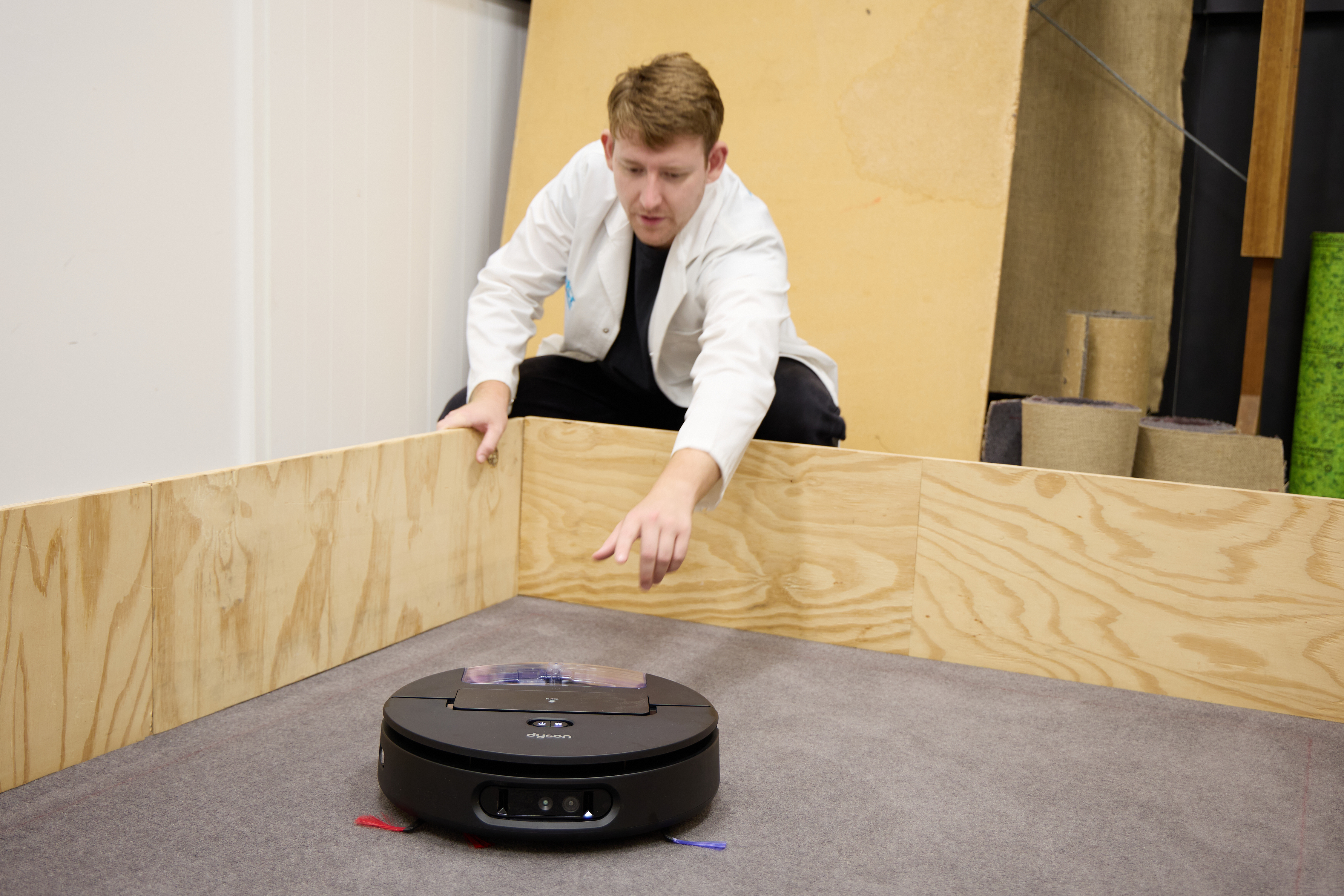
Adrian testing the Dyson Spot + Scrub Ai on carpet.
We assess pet hair pick-up as well, and the Dyson was good at this: it picked up the majority of the hair with only a few clumps remaining.
We also included a tasselled rug on our test area to see how the robot handled it. In the Dyson’s case the tassels got tangled in the vacuum mechanism and while it made a valiant effort to escape, it finally gave up and declared an error message about five minutes into its failed Houdini mission.
The Dyson’s main selling point is that its mop can detect hard floor stains using its sensors and camera, and will keep going over them with warm water until they are removed. So we were keen to see how this played out in reality. We used Dyson’s own probiotic cleaning solution ($38 for 500mL) to give it the best chance to deliver optimal results, though the instructions also state that you can use plain water.
Despite numerous attempts to let it map out the area and clean key stains, the robot left entire areas basically untouched
So how did it perform?
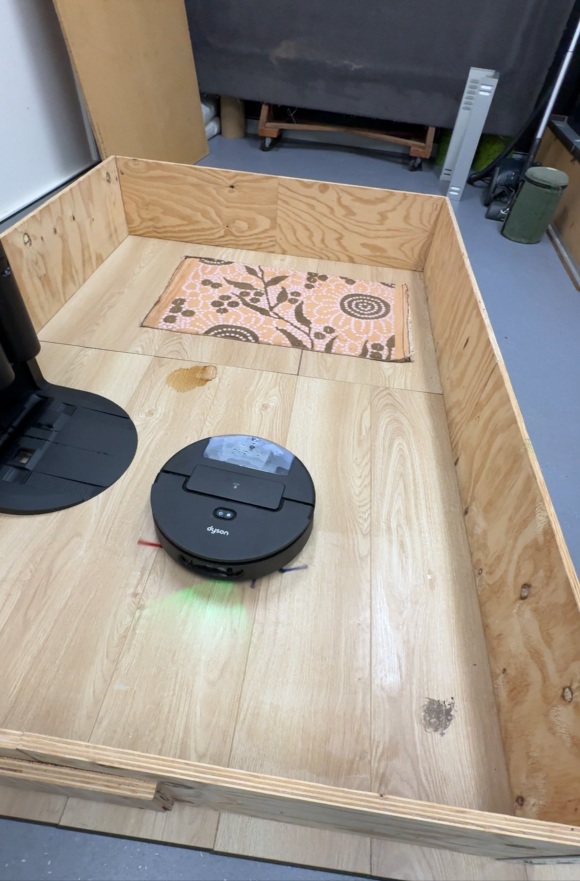
Dyson Spot + Scrub Ai robot vacuum in action during the mopping test.
Despite numerous attempts to let it map out the area and clean key stains, the robot left entire areas basically untouched (particularly the jam and espresso stains around the docking station). It failed to adequately cover the jam or espresso even though there was plenty of space for the robot to move around in. We don’t tend to see this happen with other robot vacs, so our tester was quite surprised.
“It seems to focus the most on the centre of the area while not covering the edges very thoroughly,” observes Adrian.
Out of the areas it did cover, it did OK with cleaning wine and mud but struggled with soy sauce.
Our mopping test area also includes a small rug to test how well the robot vacuum can avoid getting it wet. The Dyson managed to raise the wet roller when traversing the carpet’s centre, but it struggled to keep the roller up on the edges. It got a bit confused at one point, first recognising it was on carpet, then prematurely lowering the mop onto the carpet before turning and realising it was still on the carpet, and raising the mop again.
The wet roller is designed to keep dispensing clean water onto the surface as it goes. In maximum hydration mode (the highest setting) it left very little water behind on the floor, which was good to see.
Even at $1999, this Dyson is relatively affordable: we’ve tested models from rival brands like Roborock that are twice the price. It’s a good vacuum for the price, performing decently in certain scenarios, though it probably won’t score highly enough to be recommended when we put it through our full robot vacuum review.
There’s room for improvement when it comes to dealing with stains in wet cleaning mode; the robot seemed quite reluctant to explore the entire area, which meant it couldn’t do the best job of removing dried-on stains.
It would be great to see software updates to the app and the machine’s firmware to improve navigation and stain recognition. Before that happens, the Dyson is suitable for thorough hard floor cleaning and quick maintenance mops rather than fully-intensive washes. And if you’ve got mostly carpet in your house the Dyson, like most robot vacuums, is probably best avoided.
Know the products to avoid before you shop. Get our free guide and buy smarter.
Kim Gilmour is a Senior project officer. She manages a range of product tests such as coffee machines, stick vacuums, bassinets, high chairs and ovens, which are all tested in our in-house labs.
Kim’s work gives people access to robust, independent advice and helps consumers make informed decisions about their purchases. Her work also helps to keep manufacturers in check, by regularly exposing product flaws which can result in better and safer products.
Prior to CHOICE, Kim spent 16 years working as a technology journalist in Sydney and London. With several years as a senior researcher/writer at our UK sister organisation, Which?
Kim has authored how-to technology books such as Spotify for Dummies and Digital Photography for the Older and Wiser.
Kim has a Bachelor of Arts in Communication (Journalism) from Charles Sturt University. LinkedIn
Kim Gilmour is a Senior project officer. She manages a range of product tests such as coffee machines, stick vacuums, bassinets, high chairs and ovens, which are all tested in our in-house labs.
Kim’s work gives people access to robust, independent advice and helps consumers make informed decisions about their purchases. Her work also helps to keep manufacturers in check, by regularly exposing product flaws which can result in better and safer products.
Prior to CHOICE, Kim spent 16 years working as a technology journalist in Sydney and London. With several years as a senior researcher/writer at our UK sister organisation, Which?
Kim has authored how-to technology books such as Spotify for Dummies and Digital Photography for the Older and Wiser.
Kim has a Bachelor of Arts in Communication (Journalism) from Charles Sturt University. LinkedIn
For more than 60 years, CHOICE has been fighting the good fight for Australian consumers.
In the past year alone we've uncovered systemic issues with sunscreens, investigated shonky supermarket pricing, fought for stronger scam protections and helped make complex energy pricing fairer and clearer.
CHOICE is here to provide unbiased advice and independent testing in our world-class labs. We buy the products we test, just like you do, and our expert reviews are influence free. We’re here to help you choose smarter. Hopefully you’ll also save some money along the way.
Thanks to CHOICE, you’ll never be alone when a business treats you unfairly. You can support our work by joining or donating to our cause.