Most wireless routers can deliver very fast, stable speeds to a single device like a TV, laptop or smartphone. One user isn’t going to knock out the network. But how many internet-connected devices do you actually have in your home?
There’s probably a smart TV, a phone or two and maybe a laptop or an ipad. And then there may be smart lights and security cameras that need to be online 24/7 to function.
Homes are getting pretty bandwidth-hungry these days and they need the equipment to match. There are plenty of high-speed wireless routers on the market but they’re not all equipped to handle a home network with lots of traffic.
So, we’ve picked three routers best-suited to these environments. This includes one that has very good long-range signal stability for two-storey homes, or those that are simply very large.
CHOICE router reviews are free to read as part of a paid partnership with NBN Co. All CHOICE testing and reviews are conducted independently by experts.
Router manufacturers and internet service providers (ISPs) love to advertise download speeds. But bandwidth rarely gets the coverage it deserves, even though it’s just as important, especially for families and sharehouses.
But what exactly is bandwidth and why is it essential for bigger households?
When a single device, like a laptop or smartphone, is online, it can access all of the available bandwidth, which in turn allows it to have the highest possible download speeds. As more devices connect, your network automatically shares out the available data across the devices.
ISPs advertise speeds in megabits per second (Mbps). The higher the number, the greater the download speed and bandwidth. For example, 500/50 equals 500Mbps download and 50Mbps upload.
So, let’s say you have a 500Mbps download plan on the National Broadband Network (NBN), as well as a wireless router and devices that can access those speeds. If one device, like a laptop, is connected, it can tap into the maximum available bandwidth for the best possible speeds which is 500Mbps in this case.
But the router needs to distribute the available data as more devices come online. Everyone gets a piece of the bandwidth at reduced download speeds across the board.
Text-only accessible version
Text-only accessible version
500Mbps NBN connecting to a single device in a home can deliver a maximum download speed of 500Mbps for that device.
500Mbps NBN connecting to four devices in a home can deliver a maximum download speed of 125Mbps per device.
This is a technical example that doesn’t factor in the range of devices and their networking capabilities, typical evening speeds, content being consumed on each device etc. Actual performance will vary.
So if, for example, four devices connect to the 500Mbps plan, each can access 125Mbps download speed. It’s a little more complicated than that and bandwidth isn’t usually distributed this cleanly, but you get the idea.
This is why larger households can really benefit from a high speed plan with a wireless router to match. The good news is most NBN plans have enough bandwidth for the average household, but there are slower plans that may not be suitable. This is when issues like lag, buffering and drop-outs can occur.
Bandwidth isn’t the only important link in the chain. Wi-Fi signals are transmitted on specific frequencies called bands, not unlike a radio. Yes, bands, but not bandwidth. They’re two different things with similar names – nice and confusing.
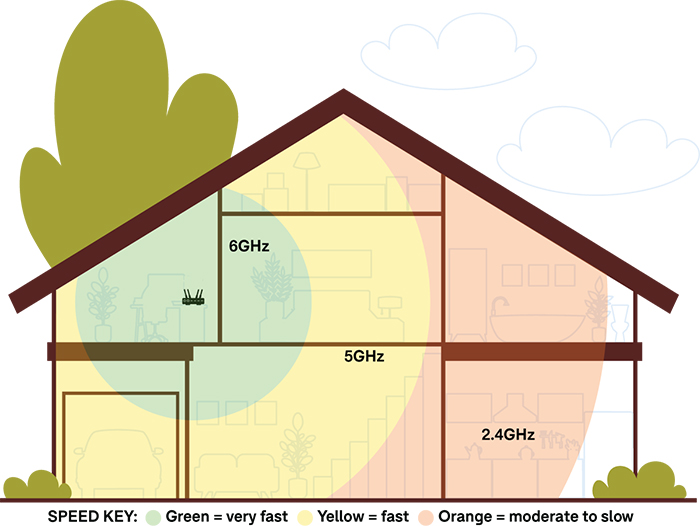
Bands are measured in gigahertz (GHz). Lower bands have slower speeds but greater range (broadcast distance). Speeds increase and range reduces as bands increase. Consumer-grade home Wi-Fi equipment uses the 2.4, 5 and 6GHz spectrums, with 6GHz having the best performance (fastest speeds) but shortest range.
But not all routers and devices can access the 6GHz band as it’s a relatively recent development in consumer equipment. There are two types of router available:
Dual-band: uses 2.4 and 5GHz
Tri-band: uses 2.4, 5 and 6GHz
A dual-band router cannot broadcast on the 6GHz frequency.
Any Wi-Fi-enabled device, including TVs, laptops and smart lights, can connect to the 2.4GHz band. Most devices also work with 5GHz, while 6GHz compatibility isn’t as common.
How Wi-Fi bands perform throughout your home.
Devices on the network can slow down, stutter or drop out if there’s too much traffic on a particular band. You can switch between them in the device’s network settings as routers treat each band as its own network.
For example, smart appliances and similar devices like bulbs, security cameras and washing machines typically prefer the 2.4GHz band as they don’t require the higher bandwidth or speeds that 5 and 6GHz provide. But this means the 2.4GHz band can get quite congested if you’re living in a particularly tech-heavy place, so it’s best to connect phones, laptops and TVs to the 5 or 6GHz bands.
This is where tri-band routers are handy for families or sharehouses. You can connect supported devices to the 6GHz network, freeing up space on the other two bands, which improves overall performance and stability.
The default settings on most modern routers should be able to handle a busy network in a typical home. But you should still understand the tools and settings that can help optimise and stabilise your Wi-Fi network.
While some of these features operate automatically, you may need to turn them on in the settings. Others are a bit more advanced and require manual input.
Quality of service: This feature automatically allocates bandwidth based on the device and its needs at the time. A TV streaming video in 4K will get more bandwidth than a phone watching the same content in high-definition, for example. This is a very common feature.
Band steering: The router can automatically identify and allocate the optimal band for the connected device based on bandwidth requirements and network congestion. Similar to quality of service but the router shifts bands rather than adjusting bandwidth specifically.
MU-MIMO: stand for “multi-user multiple-input multiple-output”. This feature automatically allocates individual data streams (bandwidth) to multiple active devices in parallel, rather than connecting each to a single Wi-Fi broadcast on each band. This helps improve performance and stability and relieves congestion as devices aren’t “competing” for bandwidth on a single band.
Multi-link operation (MLO):allows supported MLO devices to use all available bands on the network at the same time to improve stability. Requires Wi-Fi 7.
Advanced settings for the techy types include:
Bandwidth throttling/management:Allows you to manually set a bandwidth limit for each device on the network. Not quite as common as quality of service and may be a bit tricky for novices.
Channel width adjustment: measured in megahertz (MHz). This is a granular approach to avoiding network congestion. Manually adjusting the frequency range (channel width) within each band can help improve stability and performance depending on the device. It’s an advanced setting that you’ll only find on some mid- to high-end routers.
These routers will give you the best performance for busy networks. We’ve picked the top model for multiple users, the router with the best range for larger properties and the ideal option for homes looking for great performance on a budget.
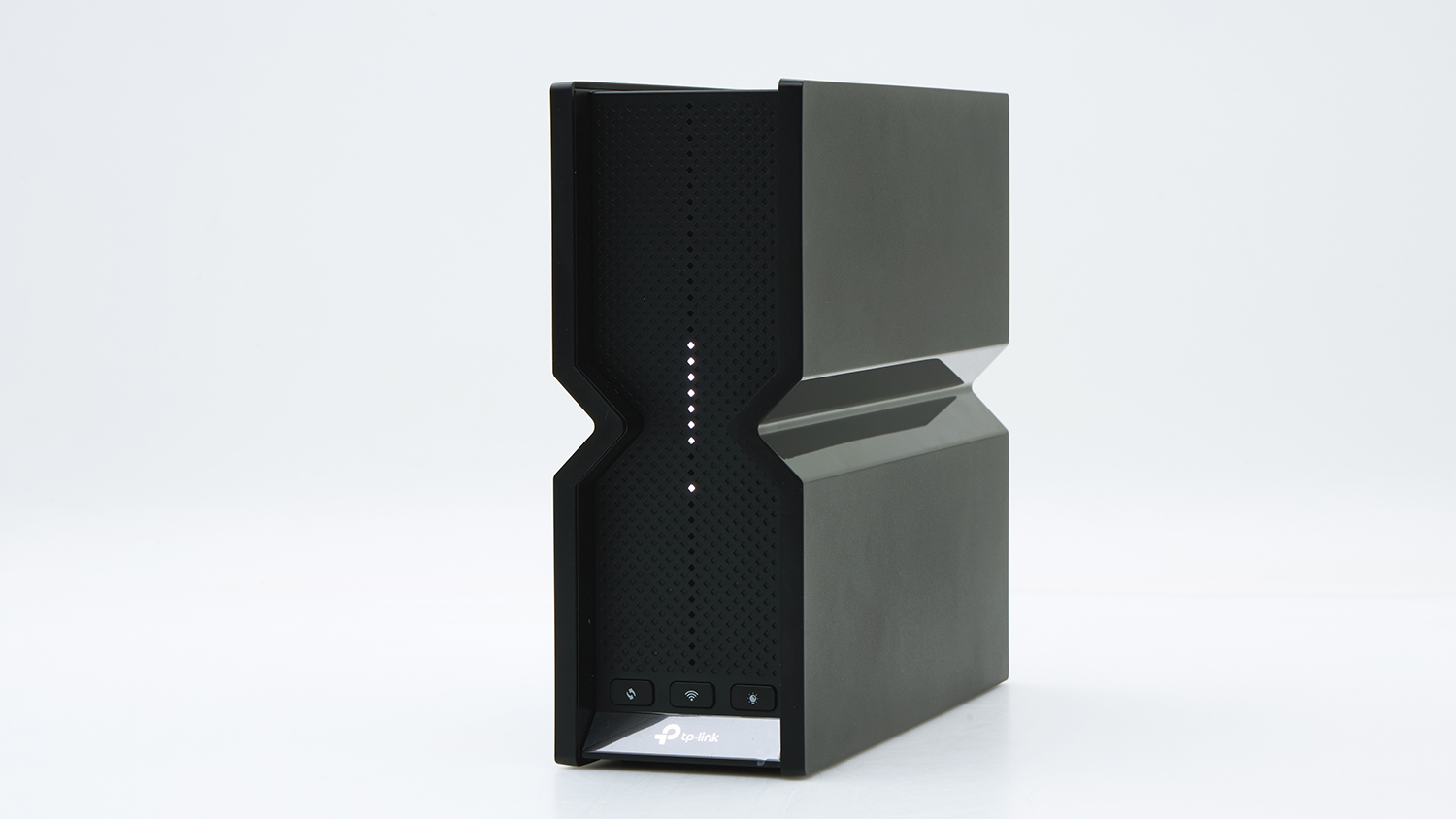
TP-Link Archer BE550 – Best for busy networks
CHOICE Expert Rating: 81%
Price: $499
Single and multi-client performance scores: 90/96%
Obstructed range score: 61%
Parental controls score: 80%
Keen to kick back and stream Stranger Things in 4K? Go for it. Does your partner want to watch Heated Rivalry on their laptop in the next room at the same time? No problem. Is everyone else gaming online while security cameras and smart doorbells keep an eye on things out the front? That’s all fine if you’ve got this router.
Why? Because the Archer BE550 blew every other wireless router out of the water in our multi-client (user) test. Performance in this area is excellent (96%), with no signs of slow-down, buffering, dropouts and other annoying internet issues.
It’s got all the fixings to help manage network congestion and allocate bandwidth for better performance on certain devices. There’s tri-band broadcasting, MU-MIMO and MLO support to improve stability and good old band steering.
Now this may sound a bit techy and intimidating, but TP-Link has made a fairly user-friendly router. Settings are easy to navigate, including parental controls which help to keep harmful or mature content away from younger eyes.
The only real drawback is its performance over long range or through obstructions like walls, windows and floors. Speeds and stability can dip a bit (61%) in these situations, which isn’t uncommon, but still worth keeping in mind if you regularly have more than four people on the internet at the same time.
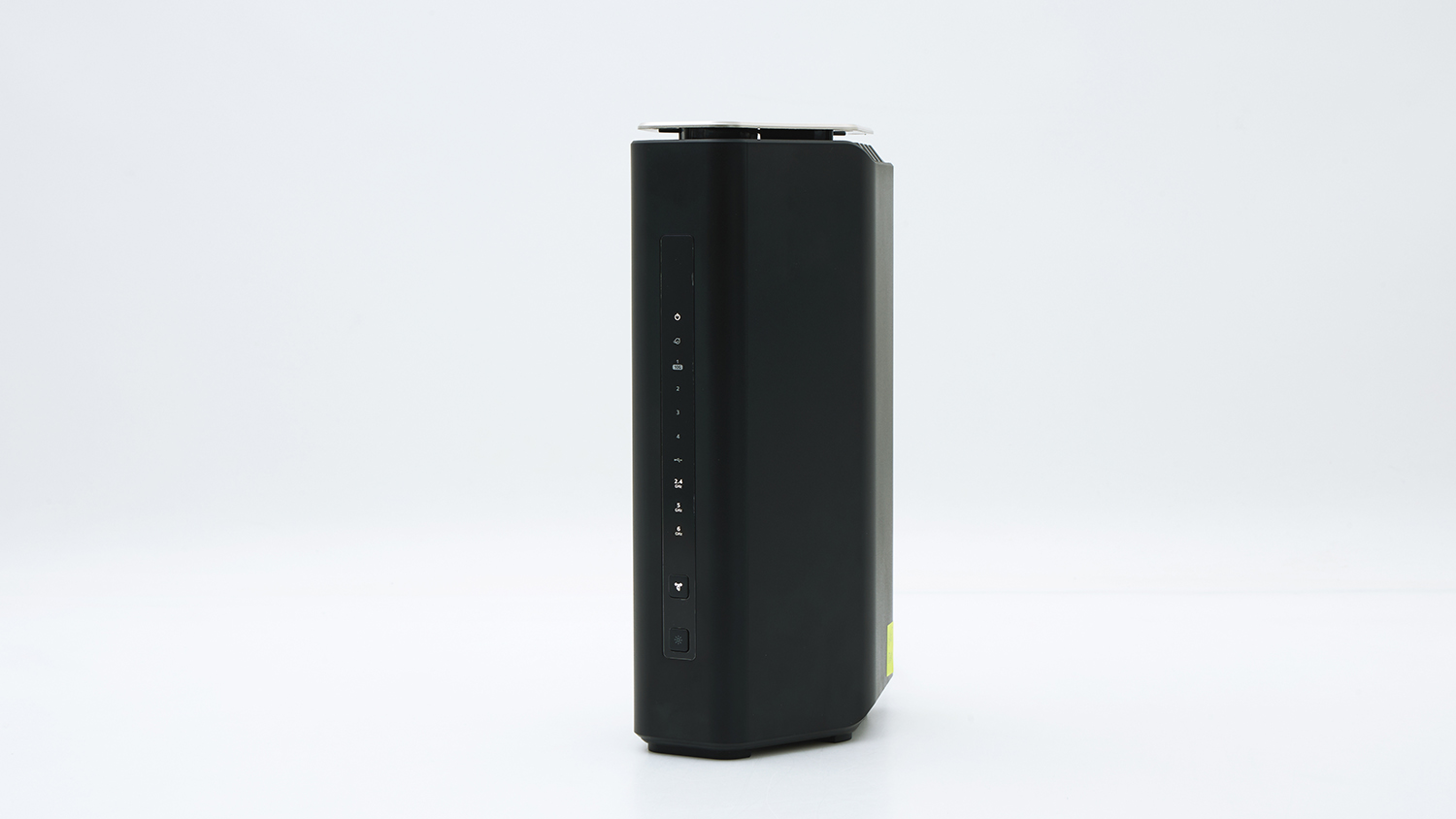
Single and multi-client performance scores: 95/97%
Obstructed range score: 82%
Parental controls score: 32%
Most routers in our test earned poor to OK results in our long-distance testing – but not the RS600. Netgear’s router is very good (82%) at keeping a stable connection from one end of the house to the other, even when passing through walls, doors and up to the second floor.
Though multi-user speeds don’t quite match the superfast Archer BE550 above, the RS600 is still fast and capable of concurrent video streaming, gaming and browsing. It’s really worth considering if you live in a medium- to large-sized property.
However, it’s not the easiest router to use and neither is it entirely family friendly. The app is fairly limited and pretty glitchy, and most of the useful security and parental controls are locked behind a monthly paywall.
It’s a shame, because there’s a lot to like about this router. But adding a monthly fee to an already expensive router feels a tad greedy, so just be aware that you’ll have to pay extra to get the most out of this router.
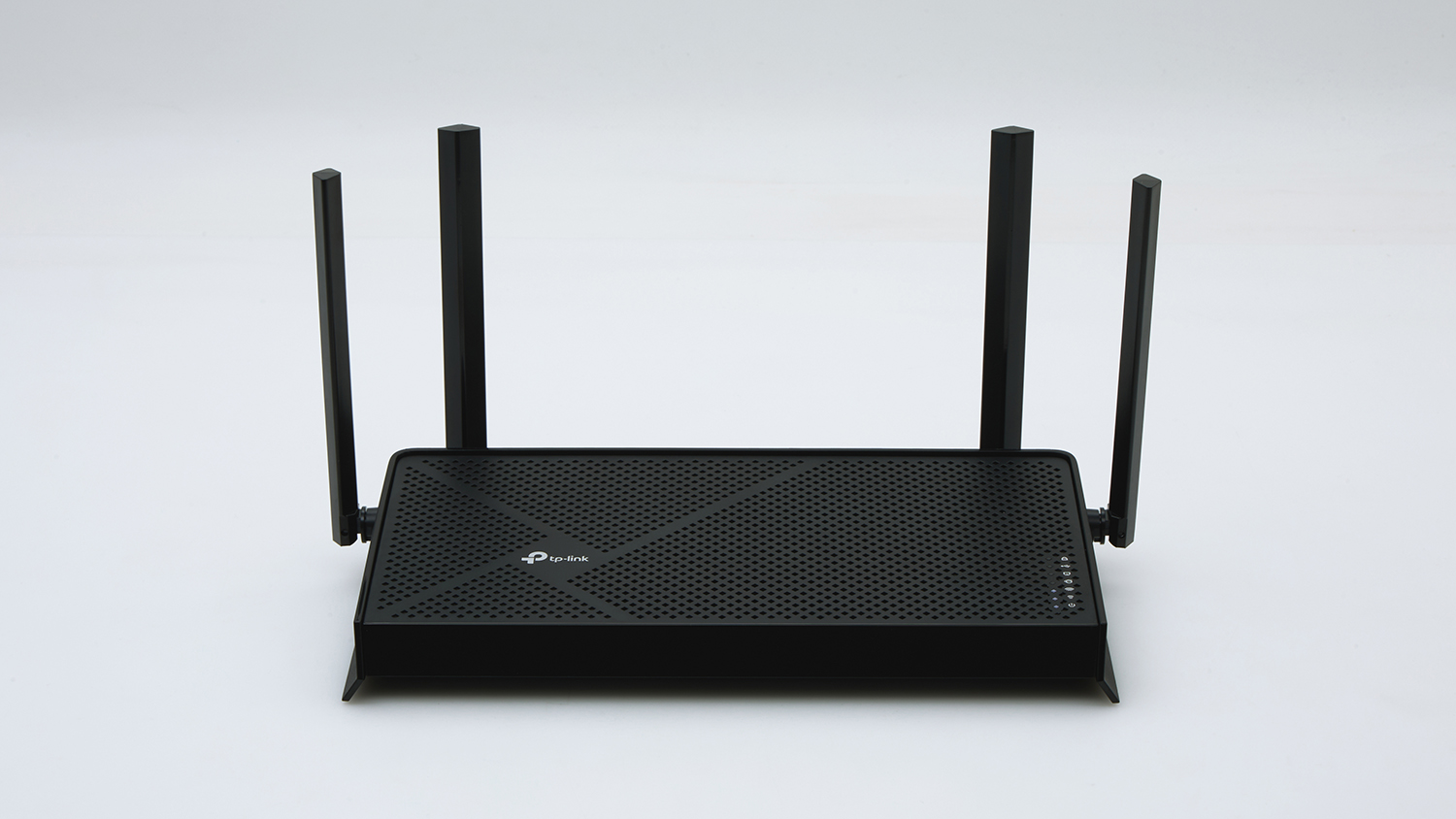
Single and multi-client performance scores: 75/74%
Obstructed range score: 45%
Parental controls score: 80%
Families and sharehouses will get a lot of mileage out of the Archer BE230. It may not sit among the top performers in our test, but it’s far and away the best value for money.
Wi-Fi 7 support and a 2.5 gigabit WAN port can supply plenty of bandwidth across multiple users and fast download speeds for a single device. Performance remains remarkably consistent whether one or more users are connected and active at the same time, with good results (75% and 74%) in these tests.
The Archer BE230 is a novice-friendly router as well and though some features and settings come with a bit of a learning curve, the average user shouldn’t have much trouble navigating the interface. Parental controls are among the best in our test (80%) and they’re pretty easy to set up and navigate.
But the budget price tag does bring some limitations. Speeds and stability can get a bit spotty over longer distances and through obstructions like walls, floors and windows. It doesn’t support the fastest 6GHz band either, which may also cause some congestion issues in particularly packed households.
We've partnered with search engine WhistleOut to help you find and buy the right plan for you. While we make money if you buy through WhistleOut, this doesn't influence our rankings. 100% of the money we make goes straight back into our nonprofit mission.
Peter Zaluzny is a Content producer in the Digital home team. He covers everything from home entertainment and personal safety devices to tech for your car and mattresses.
Peter enjoys cutting through the nonsense to help people understand the products they’re considering to buy. He helps consumers make educated, informed decisions.
Peter has a Bachelor's degree in Journalism and a Bachelor of Arts from the University of Wollongong.
Peter Zaluzny is a Content producer in the Digital home team. He covers everything from home entertainment and personal safety devices to tech for your car and mattresses.
Peter enjoys cutting through the nonsense to help people understand the products they’re considering to buy. He helps consumers make educated, informed decisions.
Peter has a Bachelor's degree in Journalism and a Bachelor of Arts from the University of Wollongong.
For more than 60 years, CHOICE has been fighting the good fight for Australian consumers.
In the past year alone we've uncovered systemic issues with sunscreens, investigated shonky supermarket pricing, fought for stronger scam protections and helped make complex energy pricing fairer and clearer.
CHOICE is here to provide unbiased advice and independent testing in our world-class labs. We buy the products we test, just like you do, and our expert reviews are influence free. We’re here to help you choose smarter. Hopefully you’ll also save some money along the way.
Thanks to CHOICE, you’ll never be alone when a business treats you unfairly. You can support our work by joining or donating to our cause.