The National Broadband Network (NBN) is going through a bit of an overhaul. NBN Co, the organisation responsible for managing the NBN, is rolling out upgrades to improve download and upload speeds and increase bandwidth. Many of these improvements have already been passed on to the consumer at no extra cost.
Yes, you read that right – faster internet for free.
You may have noticed that your files are downloading a bit faster than before, that you can stream higher quality videos without buffering, or that connection issues no longer occur when multiple people are online at home at the same time. Or maybe you haven’t noticed any changes at all.
In any case, it’s important to get across the updates to figure out whether your NBN plan is still the best fit for your household. With a little research, you could upgrade to an internet plan that is five times faster than your current plan at no extra cost, depending on where you live.
First things first, are you already familiar with networking and how the NBN connects to your home? Great! Everything you need to know about the free speed upgrades is in the table below.
But if terms like FTTP, ISP, megabits per second and gigabit internet are doing your head in, keep reading. We’ve prepared a beginner’s guide to how the NBN works below.
NBN Co has upgraded three existing wholesale plans and introduced a new top-tier speed for internet service providers (ISPs) to sell. They’ve been released for free and may have already been quietly applied to your NBN plan at no extra cost. Slower speed plans have not changed.
The original wholesale speeds, upgrades and new ultra-high speed plan (2000Mbps) are detailed below. Note, the exact download and upload speeds advertised may vary slightly depending on the plans available from your ISP.
Plan names (wholesale), Old speeds (download and upload), New speeds (download and upload), connection requirements.
Home Fast II: 100/20 Mbps, 500/50Mbps, HFC/FTTP.
Home Superfast: 250/25 Mbps, 750/50 Mbps, HFC/FTTP
Home Ultrafast: 1000/50 Mbps, 1000/100 Mbps, HFC/FTTP
Home Hyperfast: new speed tier, 2000/100 Mbps, (HFC) or 2000/200 Mbps (FTTP)
Notes: Maximum download/upload speeds in megabits per second (Mbps). Connection requirements for typical home on fixed line connection. Does not include FTTB, fixed wireless or satellite plans. Home Hyperfast internet requires FTTP for maximum upload speeds of 200Mbps. HFC has a maximum upload speed of 100Mbps.
If you’re on an existing 100, 250 or 1000Mbps plan and your NBN connects via FTTP or HFC, the free speed upgrade should have already taken effect. You don’t need to do anything or contact your ISP, and you don’t need to pay any more for the privilege.
Understanding NBN speeds and plans
Did that last section on speeds confuse the hell out of you? That’s OK, you’ll be an NBN pro by the end of this article.
Internet service providers (ISPs) sell NBN packages – aka plans – to consumers. These are available in a variety of speeds to match your home internet needs. These speeds determine two things.
Upload/download speed: How quickly you can download and upload files (which also affects video streaming quality).
Bandwidth: The total amount of data available on the network per second, which affects number of devices that can be connected and in use at the same time without issues like buffering, lag and drop-outs.
Download and upload speeds are advertised with two numbers separated by a forward slash. The first number refers to download speed in megabits per second (Mbps), while the second refers to upload speeds, again in Mbps.
For example, a 100/20 plan means download speeds of up to 100Mbps and upload speeds of up to 20Mbps. Ultra-fast plans that start at 1000Mbps for download speed are often called “gigabit internet”.
If one device in your home is online, it can utilise the full bandwidth of your plan to access its maximum speeds. If more than one device is connected, bandwidth will split the available data across them.
So, if you have a 500Mbps plan at home and four devices are connected to that network, each one can access 125Mbps download speed, for example. It’s a little more complicated than that, but this basically covers the core concepts of speed and bandwidth.
Though the advertising refers to bandwidth and speeds, NBN Co and ISPs typically use the word ‘speed’ to advertise both. This article will do the same moving forward.
The average consumer downloads much more data than they upload. Basically, any online activity involves a download of some kind – music and video streaming, saving recipes, even basic web browsing.
Text-only accessible version
500Mbps NBN connecting to a single device in a home can deliver a maximum download speed of 500Mbps for that device.
500Mbps NBN connecting to four devices in a home can deliver a maximum download speed of 125Mbps per device.
This is a technical example that doesn’t factor in the range of devices and their networking capabilities, typical evening speeds, content being consumed on each device etc. Actual performance will vary.
Uploading involves moving files from a hard drive in your computer, smartphone and so on (which is called local storage) to an online service. Attaching a file to an email, moving pictures into cloud storage and live streaming video are all examples of uploading data.
More megabits on your plan equals faster download speeds and/or more bandwidth for simultaneous users. But as speeds increase, so do the monthly fees. The fastest plans can cost as much as $170 per month.
Fortunately, the days of download limits are mostly behind us. The vast majority of NBN plans don’t place limits on the amount of data you can download and upload in a month, unless otherwise specified (there are always some exceptions).
Speeds vs typical evening speeds
As well as regular speeds, ISPs also advertise “typical evening speeds”, which reflect how your plan performs in the real world. They’re a tad slower than the maximum possible speed for each plan; for example, a 100/20 plan may have a typical evening speed of 88/14 Mbps.
The evening is the time of day when the number of concurrent internet users is at its peak. As more homes log on, there’s less data to go around, so speeds start to slow down. So, while your plan is technically capable of 100/20, it’ll likely peak around the advertised evening speeds.
Names vs numbers
ISPs have to display the maximum and typical evening download and upload speeds, but they’re free to call their plans whatever they want. For example, Telstra calls its 500/40 plan “Premium nbn”, whereas Superloop calls its similar plan “Family Max” (500/50) and Optus uses the much simpler “Fast plan”.
The names are just marketing. If you’re shopping around for a new plan or trying to figure out your current connection, ignore the branding and look at the download/upload figures.
Standalone homes, apartment buildings and townhouses access the NBN using one of five connection types. Yep, you read that correctly, five, and that’s not including satellite internet (more on that later).
It all comes down to the infrastructure, specifically copper and fibre optic cables. The NBN is distributed via very fast fibre cables across most urban areas, and many homes have direct access to this version of the network. Others switch to the older copper network that was used for broadband (for example, ADSL and ADSL2) at some point along the way, which slows things down.
Why? Because copper cables can’t transmit data as quickly as fibre. This means most of the high-speed internet plans are not available to many homes that still use copper to connect.
You need to know how your home connects to the NBN if you’re interested in high-speed plans. Otherwise, you could wind up paying for a service that you can’t use.
Most of the country is on the NBN as of early 2026. But the type of connection varies depending on where you live. You can enter your address at this link to find out how your home hooks up to the NBN – NBN address checker.
Information for regional areas can be spotty. The address checker also notes whether an area is serviceable (the NBN is available on request), or, in rare cases, if it isn’t covered by the NBN at all. Residents in serviceable areas should contact NBN Co to find out how to connect to the network.
What are the NBN connection types and how do they affect speeds?
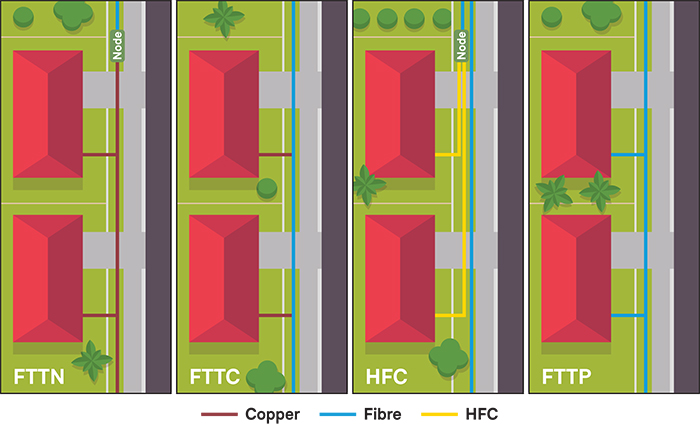
Fibre to the Node (FTTN): Uses a combination of fibre and copper cabling. The fibre cable reaches a junction (the node) at one end of the street, which then distributes the NBN to homes via copper. FTTN has a maximum download speed of 100Mbps.
Fibre to the Curb (FTTC): Uses a combination of fibre and copper cabling. Fibre cables run closer to homes, usually down the street, before converting to copper for each home via smaller junctions rather than a single node. FTTC has a maximum download speed of 100Mbps.
Hybrid Fibre Coaxial (HFC): Uses a combination of fibre and coaxial cabling. Fibre cabling carries the NBN down your street, then piggybacks onto an existing coaxial cable to the home (where available). Coaxial cables are used for pay TV, like Foxtel, and there’s enough room for the NBN to share the connection. You don’t need to have an active pay TV account to use HFC; as long as the cable is there, it will work. HFC can access the highest download speeds currently available to consumers (upload is limited to 100Mbps).
Fibre to the Premises (FTTP): A fibre cable connects directly to your house from the street. This is the best option available and provides the fastest download and upload speeds available to consumers, with enough flexibility for possible upgrades in the future.
Typical NBN connections for Australian homes.
Apartments also use Fibre to the Building(FTTB). The fibre NBN cable reaches a junction in the building, where internet access is then distributed to the apartments using existing communications cables. These can vary depending on the age of the building and whether infrastructure has been upgraded over time, which determines your maximum internet speeds.
Broadly speaking, free upgrades mean Australians can now access faster internet speeds, often at no extra cost. Many households have already received free speed upgrades under certain conditions.
All 100Mbps and 250Mbps download plans have been bumped up to 500Mbps or 750Mbps respectively. However, the higher speeds are only accessible to customers using HFC or FTTP (and maybe some FTTBs). If your home ticks one of these boxes, congratulations, your internet has improved at no extra cost.
Properties with FTTN or FTTC aren’t eligible for the upgrades because of the speed limitations of copper. Your existing plan and monthly fees aren’t changing but you can apply to upgrade to an FTTP connection (read the next section to find out how).
Slower speed plans – anything offering 50Mbps or below – are the same. Your existing plan and the monthly fees aren’t changing.
Upload speeds have also increased, but this doesn’t impact the average consumer quite as much. It applies to people who regularly upload large amounts of data, say if you’re running a home business, making YouTube videos or live streaming.
The brand new 2000Mbps download plan is not covered under any free upgrades. You’ll have to switch to a more expensive plan if you want the fastest consumer-grade speeds on the market.
I don’t have FTTP or HFC, how do I get the free speed upgrade?
Speeds above 100Mbps and free upgrades are not available to customers on FTTN and FTTC copper networks. However, you may be able to upgrade to FTTP at no extra cost. This depends on whether fibre has rolled out in your area since the NBN launched back in 2011.
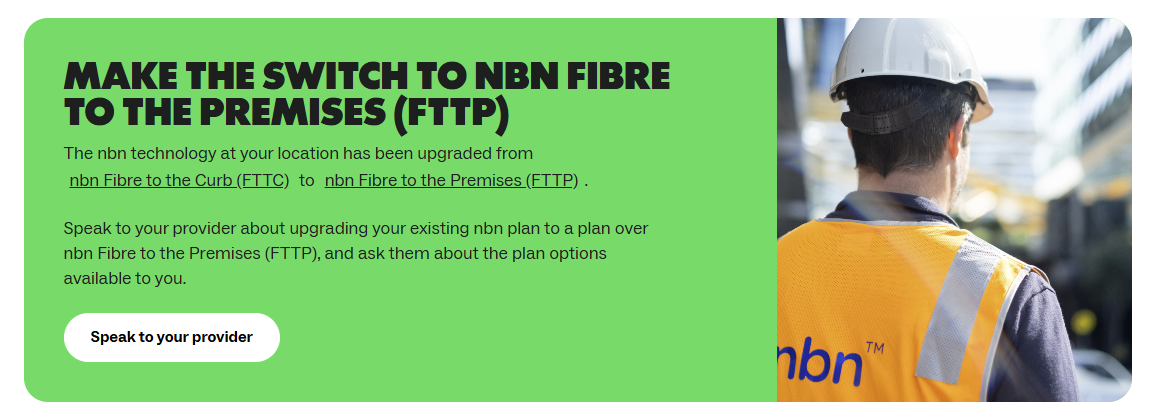
First, find out if your property can convert to fibre. Go to the NBN address checker then enter your address and click “Check residential”. Eligible properties should see a green box that says “Make the switch to NBN Fibre to the Premises (FTTP)”. If that’s not there, you’re stuck with your current setup for the time being.
This search result indicates that FTTP upgrades are available in your area.
Next, contact your ISP to arrange an upgrade if your household is eligible. There may be installation costs, but ISPs regularly offer FTTP upgrades for free. It may be worth holding off until one of these promos rolls around, or you could always just ask for a freebie.
What’s the best NBN plan for homes?
Most households of two to five people will be comfortable with the newly upgraded 500Mbps or 750Mbps download speeds. These cover all typical consumer needs, such as video streaming or online gaming at very high resolutions (4K ultra-high definition) and are unlikely to lag or drop out when multiple people are online.
Slower plans around the 50Mbps mark are a suitable alternative for smaller households or budget-conscious consumers, but they come with limitations. Be aware that downloads will take longer and streaming might buffer or drop down to lower resolutions (HD and SD) from time to time.
Some ISPs have started selling plans that match the pre-upgrade speeds. However, the monthly costs aren’t very competitive, usually only a few dollars less than the significantly faster upgraded plans. They’re not really worth considering.
Gigabit (1000Mbps and above) internet plans are expensive and only useful for large households and heavy tech users. You may benefit from ultra-high-speed internet if you’re regularly downloading large files, massive programs and games (including updates) or frequently streaming 4K UHD video.
Most households also lack the latest networking equipment that can fully take advantage of gigabit internet. Like copper cables, the networking chips and technical bits in your modem, router, computer, smartphone and games console can only go so fast.
Gigabit-capable modems and routers with new Wi-Fi standards (Wi-Fi 6 and 7) are available and they’re not too expensive these days. But it’s still an additional cost, so factor that in or make sure your current gear is up to scratch if you have your heart set on the ultra-high-speed plans.
Why we've partnered with WhistleOut

We've partnered with search engine WhistleOut to help you find and buy the right plan for you.  While we make money if you buy through WhistleOut, this doesn't influence our rankings. 100% of the money we make goes straight back into our nonprofit mission.
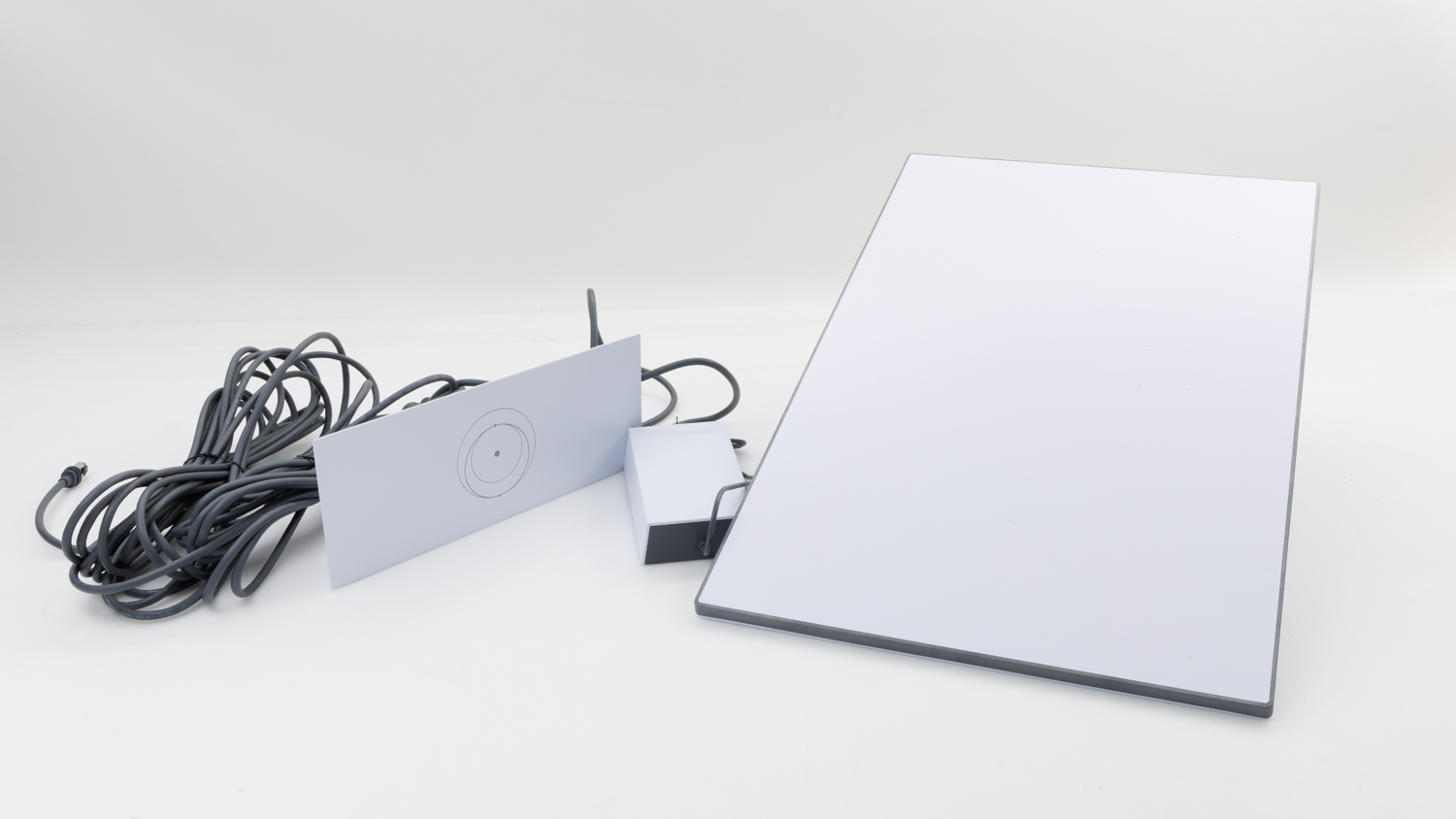
Starlink satellite internet may be a viable alternative if you live outside a fixed-line area.
There are two main high-speed alternatives to the NBN, but they may cost a bit more and often aren’t entirely practical (depending on where you live).
The first option is a 5G modem. Instead of connecting to the NBN, these connect to the same mobile data network that your smartphone uses to power your home network. That means Wi-Fi (and ethernet connections) will function as normal.
These plans are only really effective if you live in an area with good 5G coverage. Many are also subject to download limits (a thing of the past on NBN plans) that are easy to reach in the streaming era.
Starlink satellite internet has also rolled out in Australia. It’s a good option for rural customers in particular, and for some homes in urban centres or major cities. But it’s usually more expensive than the NBN, depending on where you live.
Still got more questions about speed upgrades? We’ve got you covered.
Am I on the NBN?
Most likely. You can check your home’s NBN connection status at the NBN address checker. If you have the internet but there isn’t information about your property, or you’re not absolutely certain that you don’t have satellite NBN, you’re either:
in a serviceable area that hasn’t yet connected to the NBN.
on an older broadband network.
in an area that isn’t serviced by the NBN (uncommon in 2026).
connected to the internet via an NBN alternative such as a 4/5G modem or Starlink.
Residents in serviceable areas should contact NBN Co to determine their options for connecting to the NBN.
How do I check my internet speeds?
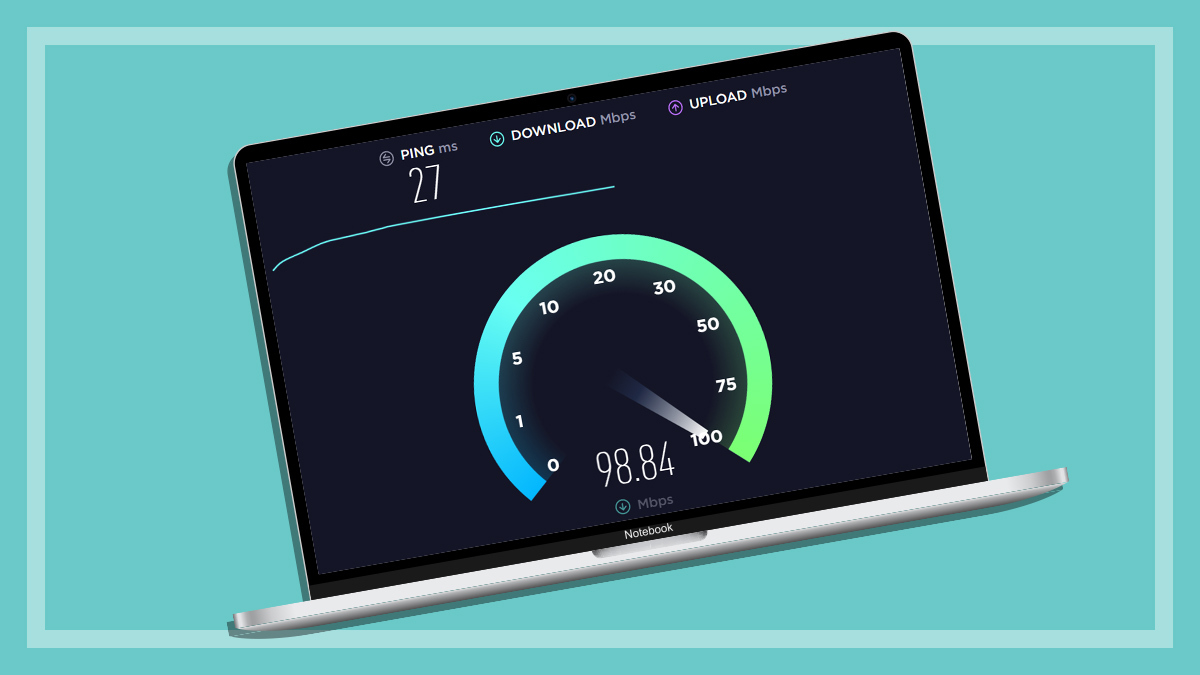
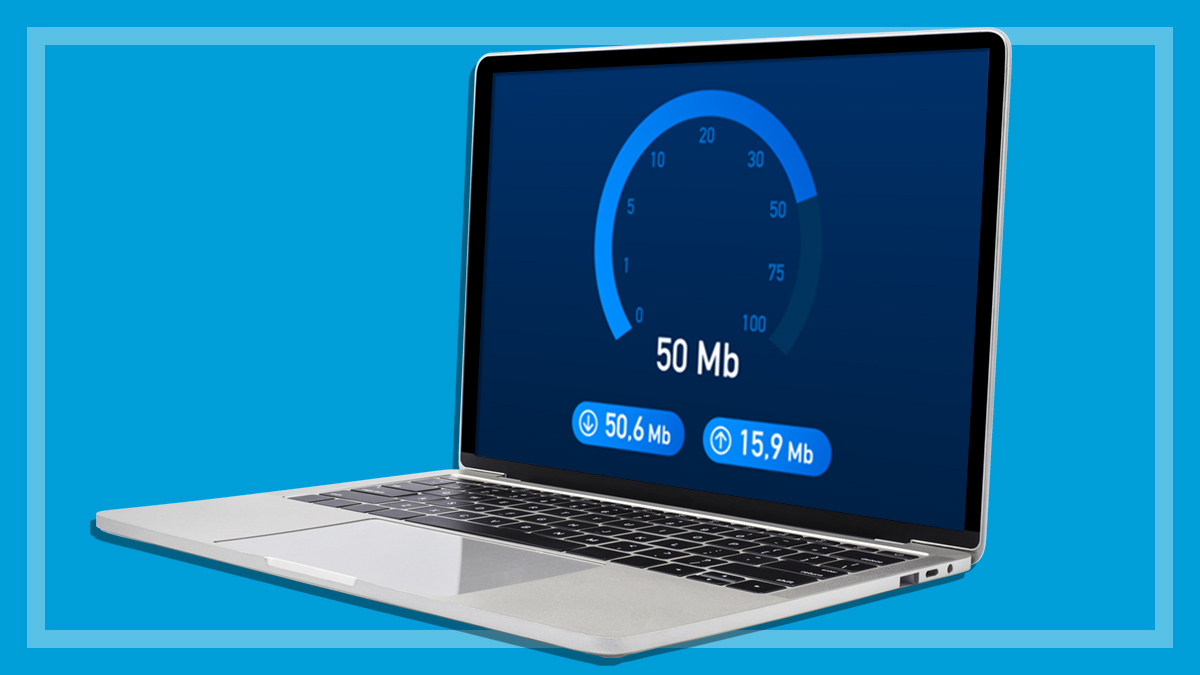
Not sure what your plan is or if the free upgrades are working? Using a computer, smartphone or tablet, go to speedtest.net and click “Go”. This will measure and display your connection speeds in Mbps.
You may need to troubleshoot if things are running significantly slower than the speeds you should expect from your plan. We’ve covered some basic steps further down.
I’m on a plan that’s eligible for the upgrade, in a property with FTTN/HFC connectivity. What do I do?
Nothing. Eligible plans will automatically move to the new speeds once fibre cables are available in your area.
Automatic speed upgrades to existing 100Mbps, 250Mbps and 1000Mbps plans are rolling out free of charge. Your current bill won’t go up unless you manually switch to a different plan with faster download and/or upload speeds. Monthly fees may increase over time in line with inflation, operation costs and so on, but this isn’t related to the free speed upgrades.
I don’t want or need higher speeds; can I go back to my old plan?
You can’t go back to your old plan as it doesn’t really exist anymore. It’s best to stick with your upgraded plan as you’re getting a better product at no extra charge.
Otherwise, you can ask your ISP to downgrade your account to a slower plan, which may be closer to your speeds prior to the upgrade. These will be cheaper, although as mentioned above, the savings are usually very small.
I’m not using the extra speeds, and someone else might need them
That’s not an issue. Connecting to a high-speed plan doesn’t mean you’re taking the additional data away from another household. The network automatically allocates it based on need in real time.
Do I need a modem/router from my ISP?
No. ISPs often sell their own routers or modem/routers, or bundle them in with internet plans at a discount. But your router doesn’t need to be supplied by your ISP for your home internet to work.
When technicians connect FTTP, FTTC and HFC homes to the NBN, they supply a small NBN networking box called a Network Termination Device (NTD). This converts the NBN signal to ethernet for your home network.
After that, the NTD can connect to any modem/router to distribute internet access throughout your home. There are lots of modem/routers on the market and they all work with an NTD. You don’t have to use one from your ISP.
FTTN homes don’t need an NTD. This connection uses a standard modem or modem/router from any manufacturer, including those supplied by your ISP if you’d prefer.
Just double-check the specifications on the retailer’s website to confirm that it supports your NBN plan if you’re paying for a gigabit connection. (You won’t need to replace your existing modem or modem/router if it supports the new speeds.)
I’m eligible for the upgrade but my internet is still slow. What’s wrong?
There are three things you can do to troubleshoot slow internet before contacting your ISP. These are:
Turn the NBN box and your router or modem/router off and on again. This resets your network, which can resolve a myriad of technical issues. It’s a classic solution for a reason.
Connect to your 5GHz Wi-Fi network. All modern modems and routers support two Wi-Fi bands: 2.4 and 5GHz (some also have a third 6GHz band). The 2.4GHz band doesn’t have enough bandwidth for high-speed NBN plans. If your internet-connected devices are running slowly (tapping out at around 60Mbps), switch to the 5GHz network. The steps for selecting a particular network will be in the instruction manual for each device.
Check your modem/router speeds. If you’re on a gigabit plan, older equipment may lack the bandwidth to support these NBN speeds. Check the specifications for your router (or modem/router) and note the maximum download and upload speeds. If they fall below your NBN plan, upgrade to some new equipment that supports the speeds. Search the make and model of your equipment on an internet browser for all the relevant info.
Also, bear in mind that download speeds are also impacted by the source. Just because you have 1000Mbps download speed, for example, doesn’t mean that every website can supply your files at the same rate.
If your internet is still falling well below the advertised speeds, contact your ISP.
Peter Zaluzny is a Content producer in the Digital home team. He covers everything from home entertainment and personal safety devices to tech for your car and mattresses.
Peter enjoys cutting through the nonsense to help people understand the products they’re considering to buy. He helps consumers make educated, informed decisions.
Peter has a Bachelor's degree in Journalism and a Bachelor of Arts from the University of Wollongong.
Peter Zaluzny is a Content producer in the Digital home team. He covers everything from home entertainment and personal safety devices to tech for your car and mattresses.
Peter enjoys cutting through the nonsense to help people understand the products they’re considering to buy. He helps consumers make educated, informed decisions.
Peter has a Bachelor's degree in Journalism and a Bachelor of Arts from the University of Wollongong.
For more than 60 years, CHOICE has been fighting the good fight for Australian consumers.
In the past year alone we've uncovered systemic issues with sunscreens, investigated shonky supermarket pricing, fought for stronger scam protections and helped make complex energy pricing fairer and clearer.
CHOICE is here to provide unbiased advice and independent testing in our world-class labs. We buy the products we test, just like you do, and our expert reviews are influence free. We’re here to help you choose smarter. Hopefully you’ll also save some money along the way.
Thanks to CHOICE, you’ll never be alone when a business treats you unfairly. You can support our work by joining or donating to our cause.