Finding the right model to suit your needs and price range involves a whole lot of other considerations, too, which is where we come in.
Entry-level, mid-range or high-end laptop?
Entry-level
If you want a cheap laptop for basic tasks and occasional or lighter use and aren’t overly concerned about performance, weight or battery life, you can find sub-$700 “budget” models.
These low-cost laptops are relatively low-powered, but capable of general computing tasks such as web browsing, email and general word processing. They can handle most basic multimedia tasks (e.g. standard definition video streaming) and are best suited to casual users and younger students.
Mid-range
If you want to take your laptop with you on-the-go a lot, you’ll want something thin, light and easy to carry. Look for an ultraportable (including Ultrabooks).
Generally speaking, mid-range laptops are aimed at regular computer users, families, students and business people, and can run most software and games, but may struggle a bit with high-end work such as intensive video editing and games that require exceptionally fast graphics processing.
High-end
If you want something to give you the processing power of a desktop computer while being transportable with relative ease, look for a powerful (preferably latest-generation) processor and plenty of RAM (at least 16GB). Some high-end models are “gaming laptops” which have particularly powerful graphics capabilities, via specialised graphics cards, and a very fast high-resolution screen.
High-end laptops are for serious computer enthusiasts and professionals who like to push their systems with intensive computing tasks, including editing video and audio, programming, 3D rendering and high-end games.
Different types of laptop
The terms laptop used to mean one thing – a portable computer. But these days there are a bunch of options available designed for certain tasks and consumer needs.
Laptop (aka notebook)
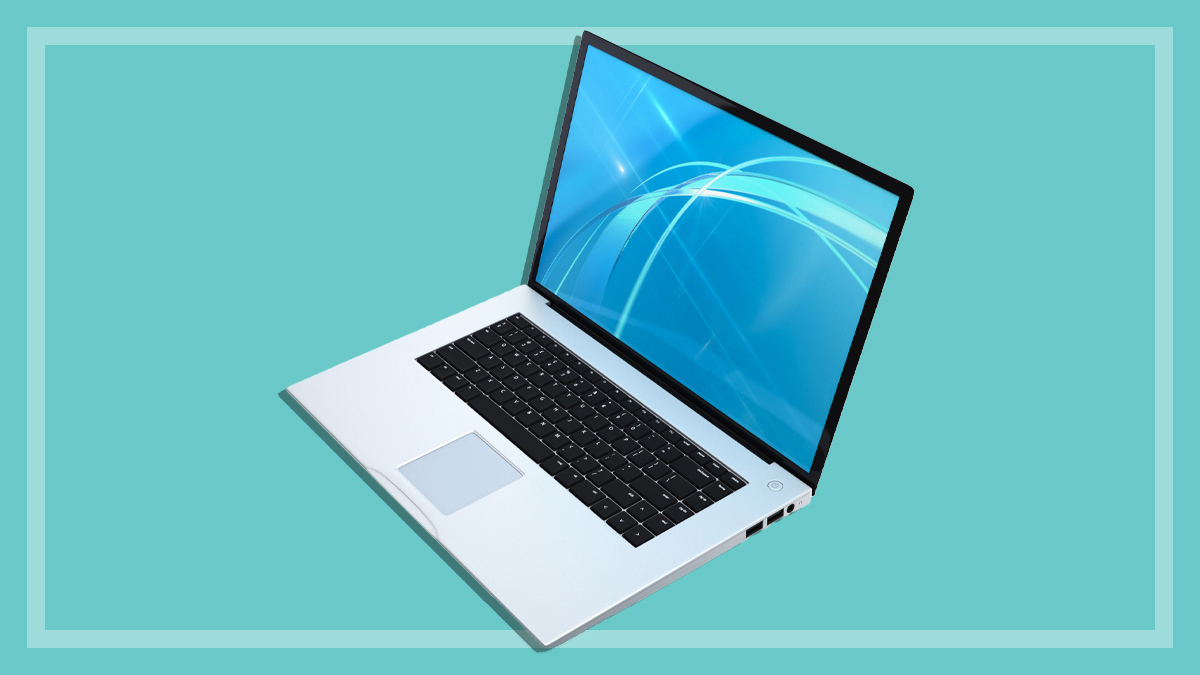
The general term for a laptop computer that strikes a balance between portability and functionality. These can vary greatly in overall size and specification – processor speed, storage capacity, memory (RAM) and screen size. They range in price from low-cost budget models to high-performance productivity and gaming models.
Ultraportable and Ultrabook
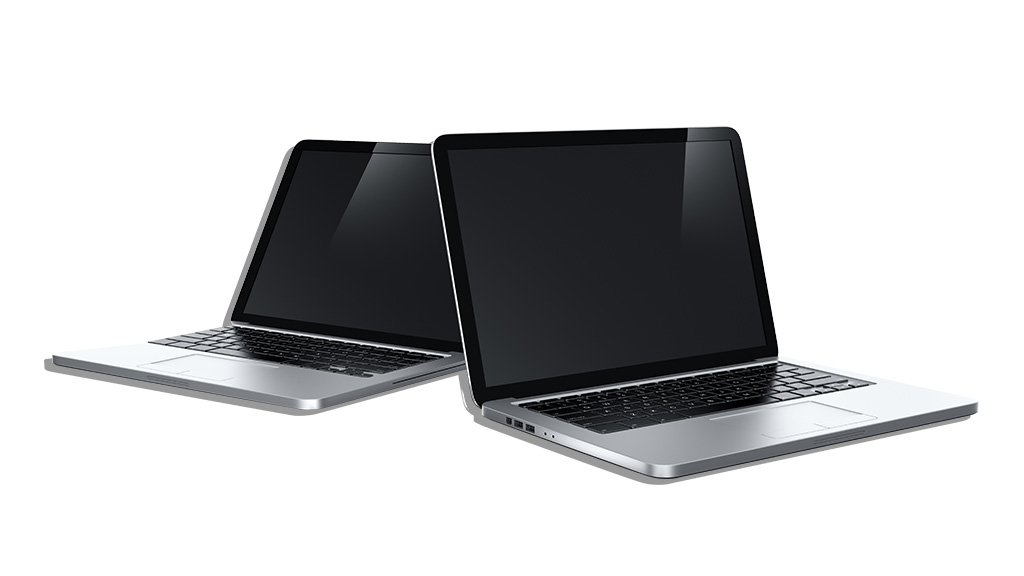
Thin, light laptops designed for mobility are often described as ultraportable. They weigh around one to two kilograms.
Ultrabook, meanwhile, is a term coined by computer chipmaker Intel for a special class of ultraportable notebook (hence Ultrabook). Ultrabooks must meet specific criteria for various things such as size/weight, battery life, type of chipset (including built-in security features).
Copilot+ PCs
This is a Microsoft-specific branding for Windows laptops that have Microsoft’s Copilot AI assistant installed. They include a neural processing unit (NPU), which works in conjunction with the central processing unit (CPU) to specifically handle AI-related tasks. This allows AI functions to work faster while the CPU is free to run the rest of the computer.
These laptops also have a dedicated Copilot key on the keyboard (usually replacing the left Alt key) to launch the AI assistant. Some tasks, such as live captions, will be processed locally on the device, while other, more advanced features, may require a subscription as they are processed in the cloud.
Chromebook
Chromebooks run the ChromeOS (which is based on Linux) operating system. These are designed to work primarily with web apps and data being saved to the Cloud rather than on the laptop itself, and usually have relatively little onboard storage. Apps need to be downloaded from the Chrome Web Store. Recent model Chromebooks can also run Android apps.
Chromebooks are popular in some schools, and even corporate groups, as many cheaper models are available and their minimal configuration offers easier centralised administration and security.
MacBook
Apple’s laptop computers come in two families – the ultra-thin 13-inch and 15-inch MacBook Air, and the MacBook Pro in 14-inch and 16-inch sizes). They all run the macOS operating system.
The latest versions of the MacBook have abandoned Intel’s platform and now run on Apple’s own homegrown chipsets, collectively called “Apple Silicon”, which have progressively replaced Intel chipsets in Apple computers. These include the M2 and M3 series chipsets (in MacBook Air) and for the MacBook Pro, an M3 chipset (in basic, Pro and Max versions) which integrate everything, including “Unified Memory” on a single chip (called an SOC, or system on a chip), which has advantages for performance and energy efficiency. This gives Apple total control of tight integration of hardware and software, which has resulted in significant boosts in speed and battery life.
Convertible (2-in-1)
These combine the features of a laptop and a tablet. They’re also known as 2-in-1 laptops or hybrids.
They can quickly switch between touchscreen tablet mode and traditional keyboard mode, transforming in a variety of ways, including detaching, sliding, twisting and fold-back mechanisms. Most models now use the fold-back method, though a few still have detachable screens.
Tablet as a laptop
Just as convertible laptops can do double-duty as a tablet, some tablets can be used as a laptop with the addition of a detachable keyboard. Most notable for this are Windows-based tablets such as Microsoft’s own Surface Pro series and smaller Surface Go, which really benefit from having a keyboard as they use the Windows operating system. However, unlike a 2-in-1, they can quickly be used in tablet mode without the added weight and bulk of a keyboard.
Some tablets also have optional keyboards that can be attached and can be used as a laptop. Apple’s iPad and iPad Pro range have their own operating system called iPadOS and work best with apps that support laptop functionality. Samsung also has several tablets that can add an optional keyboard to work as a laptop, using either Windows or Android OS, depending on the model.
Windows, Mac or Chrome OS?
Operating systems tend to polarise opinion. Ask a room of techies whether you should go with a Windows, Mac or Chrome OS laptop or tablet and you’ll start a heated debate that will go for a long time but nobody will win (though everyone will maintain that they’re right). Go even deeper down the geeky rabbit hole and you’ll likely find plenty of Linux fans.
All systems have their good and bad points, but it’s important for you to choose a side, because it affects your software choices and possibly your hardware decisions, too. This is definitely the case with Apple products and Chrome OS in particular.
Apple’s macOS (formerly called OS X) only runs on Apple’s family of computers, while iPadOS only runs on iPads, but they’re designed to work seamlessly with Apple’s other operating systems: iOS (iPhones), tvOS (Apple TV) and watchOS (Apple Watch).
All systems have their good and bad points, but it’s important for you to choose a side, because it affects your software choices and possibly your hardware decisions too
Chrome OS runs on laptops, mini PC desktops and PC sticks that are specifically designed for it, usually of a relatively lightweight configuration that is meant to be internet-connected most of the time.
Even outside enterprise users, Microsoft’s Windows has several versions, with Home being the consumer version, Pro for more serious users and Windows in S mode for lightweight laptops aimed at being an alternative to Chromebooks.
These days Windows and Chrome OS have a much greater degree of interoperability with Android, though not to the same degree as Apple’s tightly integrated hardware-software ecosystems.
Android is also outgrowing its phone-centric roots to also be seen as a stand-alone OS for tablets, most notably by Samsung and Lenovo.
Windows
Windows software has the lion’s share of the market, with the widest range of programs available. New Windows computers come with Windows 11, released in October 2021. Windows is designed to work across a wide range of devices including tablets that come with touchscreen support built-in, as long as they meet the hardware requirements.
Many older computers that could run Windows 10 are not able to run Windows 11 due to some strict hardware requirements. However, for existing users Windows 10 will continue to be supported well into 2025.
Windows 11 also includes built-in support for Linux (see below) and Android apps.
macOS
macOS is designed to work specifically with Apple hardware, providing tight integration that offers advantages in ease of use and consistency across programs and other Apple devices such as iPhone and iPad, and the new Apple Silicon-based Macs.
Many programs for Windows have macOS versions and many macOS-only programs offer file-format compatibility with Windows programs (so you can open the Mac version of the file using the Windows version of the program that created it).
You can install Windows on Intel-based Macs using macOS’s built-in installer utility, Boot Camp. This will let you run Windows natively on the Mac hardware without any software emulation, to give you full performance.
Intel-based Macs also let you run Windows OS and programs using virtualisation software such as Parallels Desktop for Mac, VMware’s Fusion or Oracle’s Virtual Box. These programs also let you install other operating systems such as Linux.
M-series Macs can also use the latest Parallels Desktop for Mac and the latest version of VMware’s Fusion to run Windows 10 and Windows 11, but it needs to be the ARM version of Windows.
Whether you use Boot Camp or a virtualisation program, you’ll need to purchase the Windows operating system separately.
Chrome OS
ChromeOS is the operating system of Chromebooks (laptops and tablets), Chromeboxes (Chrome OS desktop PCs) and Chromebits (USB dongle PCs). Chrome OS is based on Linux and was designed to work primarily with Cloud storage, though on-device storage can be used for offline work. Most apps need to be available from the Chrome Web Store, though recent model Chromebooks can also run Android apps, adding an extra layer of versatility.
Chrome OS devices are known for simplicity and security (no backup or malware worries), relatively low hardware overhead (CPU, etc.) and long battery life. Just log in to your Chrome OS device with your Google account and everything is synchronised with the cloud.
Chromebooks are popular in some schools, as many cheaper models are available and their minimal configuration offers easier centralised administration and security.
Chrome OS laptops can do pretty much everything that most people want to do, without being weighed down by the complexity and excessive add-ons and bundled software that often comes with Windows devices. For more information, go to Google’s official Chromebook info page.
Linux
Linux is generally free, as are most Linux programs, and it can run on a wide range of PCs as an alternative to Windows. There are many flavours of Linux, with Mint and Ubuntu being among the most popular.
While Linux is the top choice of OS for servers, mainframes and supercomputers, it’s only on around 2% of desktop PCs and laptops.
You can install various flavours of Linux on any decent Windows PC, though few manufacturers and retailers make this option available. For the most part, it’s a DIY activity, but it’s something that can be done by anybody with a moderate amount of technical knowledge. See our guide on how to get started.
There are numerous Linux distributions (popularly called distros) available for Linux free, including several popular ones that have a reputation for being easy to use, such as Mint and Ubuntu in particular. Also, some Linux distros are particularly lightweight and useful for running on older PCs, such as Puppy Linux and Lubuntu. Some, such as Tails, are also designed specifically for privacy.
Traditionally, you would install Linux on a separate drive or partition, but Windows now includes a real Linux kernel, rather than just a compatibility layer, called Windows Subsystem for Linux (WSL). This allows the use of Linux distros available through the Microsoft Store online.
What to look for in a laptop
CPU (central processing unit)
This is the brain of your computer. The number of cores, processing power and price range is a good indicator of the overall level of CPU power on offer. Laptops generally use low-power-consumption CPUs for better battery life.
Be careful when comparing chip families from different manufacturers and quoted speed figures (e.g. 2.4GHz), as these are not directly comparable across brands. The Intel family of CPUs, with those from AMD (their main competitor for Windows computers) and Apple’s M-series processors (dubbed Apple Silicon) all work differently.
The same goes for each generation of the same brand of chip. For example, Intel Core i3, i5, i7 and i9 generally increase performance with each generation, even at the same quoted frequency figure in GHz; likewise with the M series processors designed for highly mobile computers. The same goes for AMD’s Ryzen series of processors.
NPU (neural processing unit)
A recent addition to newer laptops that come with AI tools. The NPU works in conjunction with the CPU to specifically process AI related tasks, taking pressure off the CPU so it can run the rest of your laptop.
The main job of an NPU is to process the AI workload in a quicker and more efficient way, compared to the central processing unit (CPU) and graphics processing unit (GPU), especially during complex operations such as image and voice generation. They can be found on laptops that use recent Intel and Snapdragon processors.
RAM (random access memory)
A lack of RAM will slow your computer when running multiple programs, using a lot of web browser tabs or performing labour-intensive tasks, such as image processing.
Expect a minimum of 4GB (gigabytes) even in a budget Windows system, but ideally aim for at least 8GB for most general-use laptops and 16GB or more for high-end models. Don’t skimp on RAM at purchase time as you will likely not be able to upgrade/increase it later.
Screen quality
A small screen means a smaller laptop that’s generally going to be lighter, but larger (and particularly higher resolution) screens are better for graphics, gaming or watching movies. Regardless of physical size, many lower-cost laptops only have relatively low-resolution screens of 1366 x 768 pixels. Check before buying.
More laptops aimed at the mid-range market have a screen with at least full-HD (1080p, or 1920 x 1080 pixels), but higher resolution screens are available in high-end laptops.
CHOICE tip: Choose a larger screen if you’re planning on regularly watching TV or movies on your laptop.
Storage space
Don’t underestimate how much space you’ll need. Unless you intend to make extensive use of Cloud-only storage, make sure you have enough room for all your current programs and files, as well as the fast-growing collection of videos and music that most people now tend to accumulate.
Laptop memory and storage can be difficult or impossible to upgrade after purchase, so choose a model with enough RAM and SSD storage capacity to last you a long time
The solid-state drive (SSD) has replaced hard drives as the preferred storage medium in most laptops, due to much better performance and falling SSD prices which have made this super-fast storage medium more affordable. Laptops with a traditional hard disk drive (HDD) can still be found in some, usually cheaper, models.
An SSD is much faster than a hard drive and can lift the overall performance of a laptop considerably, and thus extend its useful working life. For a general-use laptop 128GB is the starting point for an SSD, but we strongly recommend 256GB or more for most users. Also, check if the laptop or tablet can be expanded via a microSD card, which can add up to an additional 1TB of solid-state storage.
CHOICE tip: If you need extra storage, you can plug in an external portable drive or a high-capacity external hard drive. Many laptops, especially slimline ultraportable models, come with either a 128GB or 256GB SSD, though we consider 256GB the better starting point for a laptop these days.
Many laptops, especially slim-and-light ultraportables, may not allow you to upgrade internal components later, which means it’s best not to skimp on RAM (memory) or storage capacity upfront.
However, our reviews show you which models give you the option to upgrade core components like RAM, storage, Wi-Fi and the battery. This can help you extend the lifespan of your laptop which may be cheaper in the long run.
Cooling
Computer components can run hot, especially within the confines of a compact laptop case.
Check for hot spots under the laptop after it’s been on for a while, as these can get annoying if you’re using your laptop on your lap (as the name would suggest). Also check for vents under the laptop and make sure you don’t block them if using it on your lap, as this could cause it to overheat.
Graphics card
Many laptops will have the graphics processor built into the motherboard (called “on-board graphics”), rather than on a separate (“dedicated”) graphics card.
High-end models may have a dedicated graphics card which has its own video RAM.
Power supply
Often called “the brick”, this is the block and cord that you use to plug your laptop into a standard wall socket. If your laptop battery won’t last long enough for you to leave the brick at home, you’ll have to take it with you for recharging, and this can add considerably to the overall weight and bulk you have to carry around.
Battery life
Having a long working time between charges is particularly important for an ultraportable. After all, they lose portability points if you have to also carry the power supply unit and cable with you to charge them.
Ideally, you want to have a full day of working on-the-go without having to plug it in, but this will depend on what else you have plugged into the laptop drawing power from it.
If you intend to be on the move much of the time, look for a laptop model with a long battery life and quick recharge time
You really don’t want to have to carry the external power supply unit and cable with you. Our battery life tests look at a heavy-usage scenario, to give you an idea of the worst results you’re likely to get, though for most people the average daily use will give better life.
If you intend to be mobile much of the time, then a long battery life and quick recharge time is important. We also record two charging times for each laptop, with the laptop switched on – up to 80% capacity and to 100% capacity. It’s useful to note that charging speed usually drops considerably once you get past 80%. In some cases it can take as long or longer to get the extra 20% top-up as it does to get to 80%.
As with many other industries, many laptop makers are looking to move to more eco-friendly and sustainable methods of production, distribution and packaging. Laptops are typically less user-upgradeable and user-repairable than a desktop PC, as they’re not modular in build and often have no user access to parts such as RAM and storage.
Some even have such things as RAM soldered onto the motherboard, which makes it impossible to replace. Most modern models don’t even allow you to remove and replace the battery or storage drive. This is something to look for, however, as it can give the device a longer usable lifetime.
Otherwise, choose a laptop with sufficient RAM and storage upfront. Also look for a good quality build, as this will usually last longer than a cheaper build and can save you money in the long run.
You might also check if the parts are recyclable and made of recycled materials? Does the company provide help with recycling and/or trading in older models? This information will usually be on the manufacturer’s website.
Also check the website to see if they have a stated policy about the sustainability and eco-friendliness of their products. Are they TCO-certified (which takes into account reduced environmental and social impact through the product lifecycle)? See the Ethical Consumer website for more detail.
Wi-Fi
Wi-Fi speed is important because fewer and fewer laptops come with a built-in ethernet port for plugging into your local wired network.
If this is the case, you may be able to purchase a USB-to-ethernet adapter of the same brand or a third-party alternative.
In either case, look for a laptop that supports at least Wi-Fi 5 (802.11ac), or preferably the latest standard, Wi-Fi 6 or Wi-Fi 6E (802.11ax). These are backwards-compatible with previous standards but have better security and other features.
Wi-Fi 6 is faster and designed to support more devices than Wi-Fi 5. Wi-Fi 6E is an extension of the Wi-Fi 6 standard that brings additional capabilities but is not as widely available in devices yet.
USB-C connectivity
A USB-C plug is slimline and easy-to-use version of USB (there’s no “right way up”). But its appearance can be deceptive, as the same-shaped plug is used for several different standards – USB 3.2 Gen-1 and Gen-2 and Thunderbolt 3, Thunderbolt 4 and USB 4.
What used to be known as USB 3.1 is now generally known as USB 3.2 following a rebranding by the standards authority.
Most USB-C ports will be either USB 3.2 Gen-1 (previously known as USB 3.1 Gen-1) – which is rated at 5Gbps (gigabits per second), the same speed as USB 3.0. The faster (10Gbps) version of this is USB 3.2 Gen-2 (formerly USB 3.1 Gen-2). There’s also USB 3.2 Gen-2×2 (20Gbps). Then there’s the blazingly fast (40Gbps) Thunderbolt 3, Thunderbolt 4, Thunderbolt 5 which doubles the bandwidth to 80Gbps and USB 4.
Avoid cheap third-party cables and chargers or you may risk damaging your computer or worse
Most models will have the slower USB-C ports, but high-performance laptops may have Thunderbolt 3 or the latest Thunderbolt 4 or USB 4. You can plug a USB-C device into a Thunderbolt 3/4, port but don’t expect any increase in speed. Plug in a Thunderbolt device, such as an external SSD, with the correct cable, and you have the fastest connection in town.
Even if you don’t have a Thunderbolt / USB 4 version of this connection, USB-C is still preferable to the old USB 3.0, because it’s becoming widely adopted on computers and plug-in devices and expected to soon become the dominant connection port, eventually replacing the familiar rectangular USB 3.0 (Type-A) ports.
One of the keys to USB-C’s swift adoption is its versatility – the same port can transfer both power and data at the same time and it can also mimic a whole range of other ports – including USB 2.0/3.0, SD card, HDMI, ethernet and more – using a USB-C adapter.
However, stick with the manufacturer’s cables and avoid cheap third-party cables and chargers or you may risk damaging your computer and peripherals or worse. It’s important to use only certified USB-C and Thunderbolt cables.
So which brand of laptop should you buy? We’ve identified the best laptop brand based on our test results for laptops and feedback from our members on their experience with the brand.
As well as testing more than 180 laptops since 2019, we surveyed our members about the laptops they own. We use this data to determine which brands are the most reliable, and which have the best customer satisfaction. This feedback, along with our test results, is combined to determine the best laptop brand.
Best laptop brand for 2024: Apple
Apple is the best laptop brand for the past 12 months. The tech giant continues to outperform the likes of Microsoft, ASUS, Acer, Lenovo, HP and Dell for the top spot, with strong scores in our test results in addition to being a reliable brand with highly satisfied customers.
Best laptop brand 2024 scores
Apple – 78%
Microsoft – 72%
ASUS – 71%
Dynabook/Toshiba – 70%
Acer – 69%
Dell – 67%
HP – 67%
Lenovo – 67%
It’s important to note that the performance of specific models may vary quite significantly, so don’t assume that one brand’s products are the best across the many different features, functions and price points.
To find out which specific laptop models we recommend based on our test results, and to make sure you buy the best, click on the ‘Recommended’ box in the filters section of our laptop reviews.
What are CHOICE Best Brand recommendations?
The Best Brand recommendation for laptops is based on our test results for laptops over the past five years, as well as customer satisfaction and reliability information submitted by CHOICE members on their experience with the brand.
The recommendation is given to companies with a clear lead over their competitors during the test period, and no more than two recommendations are given during each period.
Best Brand eligibility is tough – to be considered, we must have tested a minimum of five models, and a brand must have received a minimum of 50 responses to the CHOICE member survey. Additionally, brands must score a minimum of 60% and be above average for average test score, reliability and satisfaction for consideration.
How we calculate the best laptop brand
The following criteria determines the Best Brand recommendation.
Average test score – 40%
Brand reliability – 30%
Customer satisfaction – 20%
Recommended ratio – 10%
Average test score
This measures the average score for all laptop models tested in the CHOICE labs for each brand. Our testers assess:
Our customer insights team surveyed several thousand members about their laptops. The brand reliability score is determined based on the proportion of respondents who reported a problem with their laptop in the past 12 months.
Customer satisfaction
Our survey also asks how satisfied members are with their laptop. So even if a laptop has a fault after six months, it’s still possible for it to have a high satisfaction score – perhaps the company has customer service that goes beyond expectations, or the product is simply too good, despite some performance quirks.
Recommended ratio
In order to be recommended, a laptop must earn a test score of at least 75% overall, with the score made up of ease of use (35%), battery life (20%), performance (20%), display (20%) and audio (5%). We then calculate the percentage of laptops that CHOICE recommends for each brand. The greater the number of models that earn a recommendation in relation to the number of models tested, the higher the recommended ratio score.
Peter Zaluzny is a Content producer in the Digital home team. He covers everything from home entertainment and personal safety devices to tech for your car and mattresses.
Peter enjoys cutting through the nonsense to help people understand the products they’re considering to buy. He helps consumers make educated, informed decisions.
Peter has a Bachelor's degree in Journalism and a Bachelor of Arts from the University of Wollongong.
Peter Zaluzny is a Content producer in the Digital home team. He covers everything from home entertainment and personal safety devices to tech for your car and mattresses.
Peter enjoys cutting through the nonsense to help people understand the products they’re considering to buy. He helps consumers make educated, informed decisions.
Peter has a Bachelor's degree in Journalism and a Bachelor of Arts from the University of Wollongong.
Denis Gallagher is a Senior project officer for Digital home products and also works on test projects for the laundry and fridge labs. He produces tests for gadgets, phones, cameras and home entertainment gear as well as TVs, washing machines, dishwashers and fridges.
Previously at CHOICE, Denis worked as a Content producer for digital products. Prior to CHOICE, Denis worked as an Assistant editor on Golf Australia magazine and Editor for Multimedia and Videocamera magazine.
Denis has a Bachelor of Arts from the University of New South Wales and a Diploma of Journalism from Macleay College.
Denis Gallagher is a Senior project officer for Digital home products and also works on test projects for the laundry and fridge labs. He produces tests for gadgets, phones, cameras and home entertainment gear as well as TVs, washing machines, dishwashers and fridges.
Previously at CHOICE, Denis worked as a Content producer for digital products. Prior to CHOICE, Denis worked as an Assistant editor on Golf Australia magazine and Editor for Multimedia and Videocamera magazine.
Denis has a Bachelor of Arts from the University of New South Wales and a Diploma of Journalism from Macleay College.
Elias Plastiras tests a range of technology in the CHOICE computer lab, from laptops to smart home innovations and interconnected devices.
Prior to CHOICE, Elias spent 17 years working for Australian PC World, testing and writing about PCs and other small business gear. Elias tested almost everything in the PC realm, from 56K modems to network printers, as well as more mainstream consumer gear such as media players and PVRs.
Elias enjoys testing products in a rigorous fashion, to highlight the good and the bad for the benefit of the consumer.
Elias Plastiras tests a range of technology in the CHOICE computer lab, from laptops to smart home innovations and interconnected devices.
Prior to CHOICE, Elias spent 17 years working for Australian PC World, testing and writing about PCs and other small business gear. Elias tested almost everything in the PC realm, from 56K modems to network printers, as well as more mainstream consumer gear such as media players and PVRs.
Elias enjoys testing products in a rigorous fashion, to highlight the good and the bad for the benefit of the consumer.
For more than 60 years, CHOICE has been fighting the good fight for Australian consumers.
In the past year alone we've uncovered systemic issues with sunscreens, investigated shonky supermarket pricing, fought for stronger scam protections and helped make complex energy pricing fairer and clearer.
CHOICE is here to provide unbiased advice and independent testing in our world-class labs. We buy the products we test, just like you do, and our expert reviews are influence free. We’re here to help you choose smarter. Hopefully you’ll also save some money along the way.
Thanks to CHOICE, you’ll never be alone when a business treats you unfairly. You can support our work by joining or donating to our cause.