How to buy an audiovisual receiver
An AV receiver can channel all your audio and visual material to your TV screen and speakers. Here's what you need to know.
Last updated: 2 Mar 2017
Tired of tinny TV speakers? Fed up with flimsy all-in-one home theatre systems? If you want to lift your audio experience to the next level you’ll need an AV receiver.
On this page:
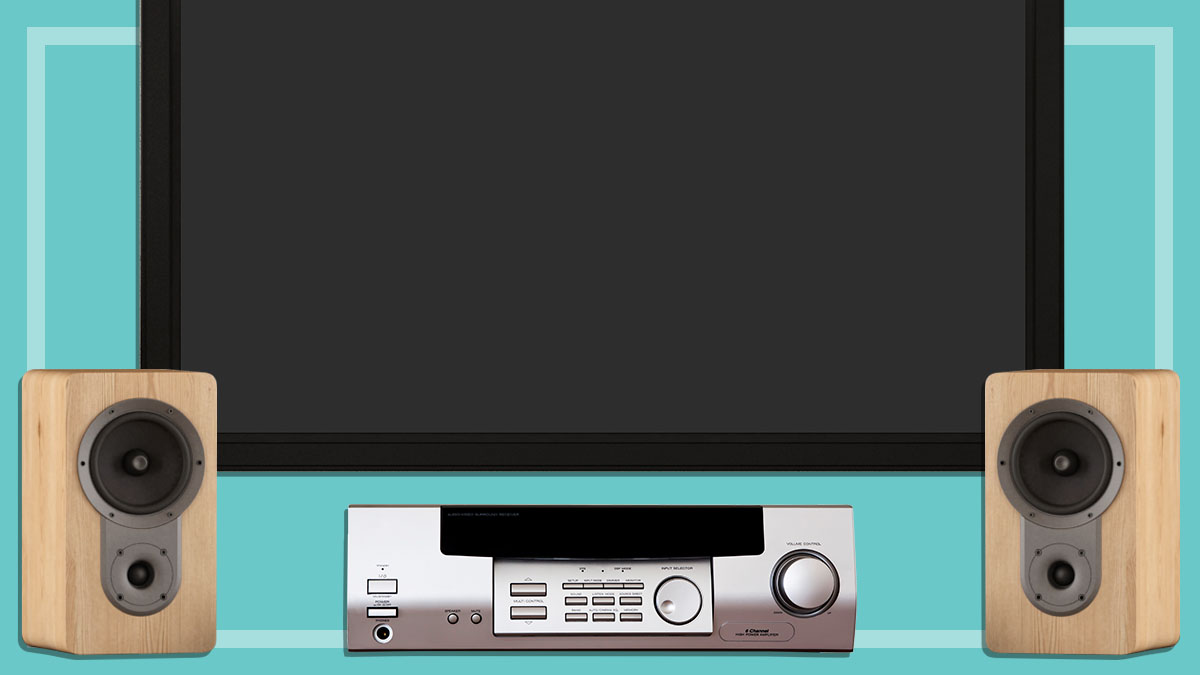
This piece of audio equipment is the conductor of your home entertainment orchestra. It takes audio and video from your DVD/Blu-ray player, CD player, iPod, games console, AM/FM or internet radio and/or set-top box, and sends it through to your TV screen and speakers – and the speakers can be as big and expensive as you can fit in your lounge room.
CHOICE no longer updates this product and maintains it for archival purposes.
Types of AV system: 7.1 and 5.1
7.1 systems use two more speakers than 5.1 systems to provide smoother transitions from one speaker to another around the room, creating a more convincing surround-sound effect. Note, however, that most movies are mixed for 5.1 surround sound, so extra speakers won’t necessarily improve the quality of the experience. But if a 7.1 system supports two-zones (read more about this below), you can enjoy a 5.1 speaker-based movie played on a DVD player in one room and stereo music from another source such as a radio or iPod in another.
Features to look for
Two-zone (or ZONE 2)
Two-zone functionality means the receiver can send a second source signal to speakers or a separate audio system in another location. For example, you can watch a Blu-ray or DVD movie with audio in one room, and music can be played from a CD player in another room at the same time using another set of speakers.
Auto set-up
Setting up a sound system can be a tedious task that involves programming speaker distances and settings and all kinds of other technical jiggery pokery. An automated set-up process can really save you the brain-ache. Purists say they can spoil your listening experience, so it really depends on how involved you want to get.
Remote controls
Remotes should be easy to read in bright light and when the lights are low. Look for high contrast labels and keys that are grouped in logical patterns. Fluorescent or backlit keys are highly visible, but make sure the keys are big and well-spaced, so you’re less likely to accidentally press more than one at a time.
On-screen menus
On-screen menus should be easy to read and set out in a format that makes sense, rather than being too detailed and confusing.
Tuner
A built-in AM/FM radio tuner is standard equipment, but a Digital Audio Broadcast Plus (DAB+) radio is still a bit or a rarity as digital radio is only starting to gain a foothold in the market.
HDMI
The arrival of Blu-ray and 3D Blu-ray movies is making big demands on all parts of a home theatre setup. Look for the HDMI standard 1.4 which has been introduced to ensure there are no bottlenecks between the player, AV receiver and the TV when moving the large amounts of information.
AV/lip sync
An AV/lip sync function allows for the difference in video and sound processing in some home theatre setups – lack of “lip sync” is where the sound doesn’t exactly match what’s happening in the video. This off-putting effect can be more pronounced when mixing analog, such as component video, with digital audio from the same DVD player. Most AV receivers will have this feature.
A/B speakers
A/B speakers allow you to turn an additional set of speakers on or off, while using the same audio.
Upscaling
Some AV receivers support upscaling, which converts one video format to a higher resolution (e.g. from a DVD’s resolution of 576p to Blu-ray resolution 1080p). But be aware, upscaling will increase the resolution but not necessarily the quality, so a low-grade picture will remain a low-grade picture, but bigger. Apart from the potential improvement in picture quality, an AV receiver that supports upscaling can accept analog video connections (such as a composite cable from an old VCR) and send the video through the single HDMI cable connected to the TV.
Denis Gallagher is a Senior project officer for Digital home products and also works on test projects for the laundry and fridge labs. He produces tests for gadgets, phones, cameras and home entertainment gear as well as TVs, washing machines, dishwashers and fridges.
Previously at CHOICE, Denis worked as a Content producer for digital products. Prior to CHOICE, Denis worked as an Assistant editor on Golf Australia magazine and Editor for Multimedia and Videocamera magazine.
Denis has a Bachelor of Arts from the University of New South Wales and a Diploma of Journalism from Macleay College.
Denis Gallagher is a Senior project officer for Digital home products and also works on test projects for the laundry and fridge labs. He produces tests for gadgets, phones, cameras and home entertainment gear as well as TVs, washing machines, dishwashers and fridges.
Previously at CHOICE, Denis worked as a Content producer for digital products. Prior to CHOICE, Denis worked as an Assistant editor on Golf Australia magazine and Editor for Multimedia and Videocamera magazine.
Denis has a Bachelor of Arts from the University of New South Wales and a Diploma of Journalism from Macleay College.