Skip to content
Log in
Donate
Main menu
Search for:
Donate
Log in
Join
CHOICE
Menu
Home & living
Kitchen
Laundry and cleaning
Heating and cooling
Bedroom
Outdoor
Home improvement and energy
Review and compare
Dishwashers
Ovens
Fridges
Cooktops
Induction cooktops
Air fryers
Coffee machines
Microwaves
Food processors
All Kitchen
Advice and tools
The best fridges for big families
How to buy a great induction cooktop
How to buy the right pots and pans for induction cooking
How to buy a rangehood that works
What’s an inverter microwave?
The magic trick to make stainless steel pans non-stick (the Leidenfrost Effect)
Review and compare
Washing machines
Clothes dryers
Washer dryers
Vacuum cleaners
Robot vacuums
Stick vacuums
Steam mops
Steam stations
All Laundry and cleaning
Advice and tools
What to know before buying a washing machine
Washer dryer combos explained
How to get rid of mould
Best vacuum cleaners for pet hair
Review and compare
Air conditioners
Home heating
Air purifiers
Electric heaters
Ceiling fans
Dehumidifiers
Humidifiers
All Heating
Advice and tools
Which electric heater is best for you?
Are air purifiers worth it?
How to buy the best heating system for your home
How ceiling fans can slash your winter heating costs
What size air conditioner do I need?
Review and compare
Mattresses
Pillows
Electric blankets
Heated throw blankets
All Bedroom
Advice and tools
Our top three tips to save money on a new mattress
How to buy the right mattress topper for a good night’s sleep
How to buy a great doona
How to buy the comfiest pillow
Foam vs spring mattresses
Dodgy Derila: The nightmare pillow brand that outraged customers globally
Review and compare
BBQs
Lawn mowers
Pressure cleaners
Line trimmers
Hedge trimmers
Ride-on mowers
Blower vacs
Garden shredders
All Outdoor
Advice and tools
How to choose the right lawnmower
Hedge trimmer buying guide
Pros and cons of artificial grass
Should you consider an outdoor fire pit?
Things you can clean with a pressure washer
Review and compare
Solar panels
Smart doorbells
Hot water systems
Smart lights
Wireless security cameras
Smart locks
All Home improvement
Advice and tools
How to buy the best home solar battery storage system
Solar home battery rebate: The big changes you need to know about
Solar estimator tool
Heat pumps explained: What are they and how do they work?
All Home and living
Estimate my solar system
Technology
Home entertainment
Computers
Cameras
Phones
Gadgets
Internet
All Electronics and technology
Review and compare
TVs
Projectors
Movie and TV streaming devices
Soundbars
Digital radios
Headphones
Wireless speakers
All Home entertainment
Advice and tools
Do you own the digital media you’ve bought?
How to buy a great TV
What to know before buying new headphones
7 reasons to buy noise-cancelling headphones
TVs to avoid buying
Review and compare
Printers
Laptop and tablets
Webcams
Antivirus software
Online cloud backup
Online cloud storage
Portable storage
Paper shredders
All Computers
Advice and tools
How to find the best tablet or laptop for school
How to buy the best printer
Best NBN plans for speed
Review and compare
Digital cameras
Dash cams
Rechargeable batteries
Disposable batteries
Security cameras
All Cameras
Advice and tools
How to buy the best pet camera
What to know before buying a security camera
How to buy the best dashboard camera
Review and compare
Smartphones
Power banks
Simple mobile phones
Cordless phones
Antivirus mobile software
All Phones
Advice and tools
Mobile phones: repair or replace?
The smartphones with the longest battery life
Smartphones to avoid
How we test smartphones
Best mobile phones for children and teens
Review and compare
Ebook readers
Fitness trackers
Smart doorbells
Translation devices
Bluetooth trackers
All Gadgets
Advice and tools
What to know before buying a fitness tracker
How to use Bluetooth trackers safely
Should you get a smart doorbell?
Review and compare
NBN plans
Wireless Routers
Password managers
VPNs
Photo book services
Online cloud backup
Wireless mesh networks
All Internet
Advice and tools
How to fix Wi-Fi black spots around your home
What to do if you’ve been caught in a data breach
Australia’s best NBN provider
Money
Insurance
Banking
Financial planning and investing
Superannuation
Credit cards and loans
Property and renting
All Money
Review and compare
Health insurance
Car insurance policies
Home and contents insurance policies
Contents insurance policies
International travel insurance policies
Domestic travel insurance policies
Pet insurance policies
All Insurance
Advice and tools
Do I need health insurance? quiz
Health insurance tips and advice
How to save on home insurance
How to save money on car insurance
Should you drop extras health insurance?
Compare health insurance
Review and compare
Best high-interest savings accounts
Best fee-free bank accounts
Low-fee travel money cards
All Banking
Advice and tools
How to choose a bank account
Bank branch closures and disappearing cash
Best way to transfer money overseas
How to use PayPal Buyer Protection
The best high-interest savings accounts
Review and compare
Online will kits compared
Budgeting apps
All Financial planning and investing
Advice and tools
Wraps and master trusts
Shares buying guide
Review and compare
How to compare super funds
Super buying guide
All Superannuation
Advice and tools
What’s income protection insurance in super?
What to do if your employer doesn’t pay your super
How much do you really need to retire?
Review and compare
Credit cards buying guide
Frequent flyer credit cards
All Credit cards and loans
Advice and tools
What to do about Buy Now Pay Later debt
Afterpay plus
How to protect your credit rating
Review and compare
Contents insurance for renters
How to find a good mortgage broker
How to choose a home loan
All Property and renting
Advice and tools
How to deal with home loan delays during your property settlement
Breaking a rental lease
Tenancy databases and screening
Guide to selling your property
Black mould and renters’ rights
Babies & kids
Baby transport
Baby furniture
Child safety
Baby clothes and nappies
All Babies and kids
Review and compare
Prams and strollers
Convertible tricycle strollers
Double strollers
Portable baby seat reviews
Portable cots
All Baby transport
Advice and tools
Carriers and slings
Convertible tricycle stroller buying guide
How to buy the best double stroller or pram
How to buy the best car seats, carriers, prams or strollers
Review and compare
Portable cots
Cots
Cot mattresses
Bassinets and bedside sleepers
High chairs
Change tables
Playpens
All Baby furniture
Advice and tools
How to buy the best cot for your baby
What to know before buying a cot mattress
How to buy the best bassinet
Snoo Smart Sleeper bassinet review
How to buy safe strollers, cots and other baby products
Review and compare
Baby monitors
Safety gates
Trampolines
All Child safety
Advice and tools
How to buy the best baby monitor
Safety gates and barriers
How to choose a safe trampoline
Button battery safety failures
Review and compare
Disposable nappies
Reusable cloth nappies
Change tables
Fabric softener
All Baby clothes and nappies
Advice and tools
How to buy the best disposable and cloth nappies
The best newborn nappies – and the ones to avoid
Nappy-changing hacks for new parents
Toilet training your toddler
Travel & transport
Travel
Cars
Car accessories
Bikes
Review and compare
International travel insurance policies
Domestic travel insurance policies
Luggage
Travel money cards compared
All Travel
Advice and tools
Travel money guide
Debit cards with the lowest overseas travel fees
Travel insurance policies to avoid
Review and compare
Car insurance policies
Electric vehicles
Dash cams
All Cars
Advice and tools
New car buying guide
Car insurance policies to avoid
Should you buy car insurance from Coles, Woolworths or Aldi?
New cars are tracking everything you do. Can you stop this?
Review and compare
Car GPS and navigation apps
Tyre pressure monitoring systems
Air compressors
All Car accessories
Advice and tools
Dashboard camera buying guide
Air compressor buying guide
How to buy the best roof box for your car
What to look for in a car phone holder
Review and compare
Electric bikes
All Bikes
Advice and tools
Choosing the right bike for your needs
Folding bikes
How to buy bicycle insurance
What to know before buying an electric bike
Food & health
Food
Supermarkets and food delivery
Health and body
Review and compare
Tea Bag Reviews
Olive Oil
Reusable coffee cups
Reusable water bottle
Supermarket ready meals
Instant coffee
Hot cross buns
All Food
Advice and tools
Food additives to avoid
Choosing the best milk alternative
How to buy the best Greek yoghurt
How to buy the best cooking oil
Which supermarket has the cheapest groceries?
Review and compare
Online grocery delivery services
Food box and prepared meal services
Food delivery service apps
All Supermarkets
Advice and tools
Using online grocery delivery services
A guide to food delivery service apps: Uber Eats, Menulog, Deliveroo and more
Supermarket pricing
Home-brand products that outperform big-name brands Yellow Star
Review and compare
Health insurance
Sunscreens
Fitness trackers
Period underwear
Blood pressure monitors
Hair dryers
Electric shavers
Electric toothbrushes
All Health and body
Advice and tools
What is the best sunscreen for babies and kids?
How we test sunscreen
8 common sunscreen myths debunked
How to measure your blood pressure
We tested the SPF claims of 20 sunscreens. 16 failed
Consumer rights
Consumer rights
Petitions
Data protection & privacy
Investigations & news
Shopping
All Consumer rights
Your rights
Know your consumer rights
Data privacy and safety
Make a complaint
All Your rights
Product reliability
Do you need an extended warranty?
What to do with a faulty product
Problems with a service: what you can do
Misleading pricing – what is it, and what are your rights?
What to do when a company collapses
The Shonky Awards
Unfair bank fees
Safer product laws
Fairer grocery pricing
Keep cash accessible
Make unfair illegal
Ban card surcharges
Your data
Data privacy and safety
Data laws and regulation
Who has your data
How your data is used
All Data protection & privacy
Advice and tools
Kmart, Bunnings and The Good Guys using facial recognition technology in stores
RentTech platforms: How your data is used against you
PayID scams: How criminals are exploiting this ‘safe’ payment system
Can the government stop petrol price gouging in Australia?
Does travel insurance cover war?
Households stuck on the gas network to face soaring energy bills
Are cryptocurrency ATMs really just scam machines?
‘If they log the whole forest we will die’
TGA acts following CHOICE sunscreen investigation
Shopping
Everyday shopping
Online shopping
Packaging, labelling and advertising
Services and utilities
All Shopping
Advice and tools
Woolies online shopping leaves some customers out of pocket
Scam ads rampant on popular social platforms
Eco labels – too many, and too confusing?
The problem with some energy bill comparison sites
EOFY sales 2026: Everything you need to know
Electronics and technology
/
Phones
Mobile phones
Overview
Buying guides
How to buy the best mobile phone for seniors and kids
Smartphone buying guide: How to find the right model for you
What to know before buying a power bank
Reviews
Antivirus mobile software
Mobile phones
Mobile power banks
Smartphones
How we test
How we test mobile phones for seniors
How we test power banks
How we test smartphones
Mobile phones
Time for an upgrade? Find the mobile phone that’s right for you.
Ratings and reviews
All mobile phones reviews
Antivirus mobile software
Mobile phones
Mobile power banks
Smartphones
Show more
Buying guides
December 11, 2025
Smartphone buying guide: How to find the right model for you
May 15, 2024
What to know before buying a power bank
March 28, 2024
How to buy the best mobile phone for seniors and kids
Latest
April 16, 2026
Smartphones to avoid
March 17, 2026
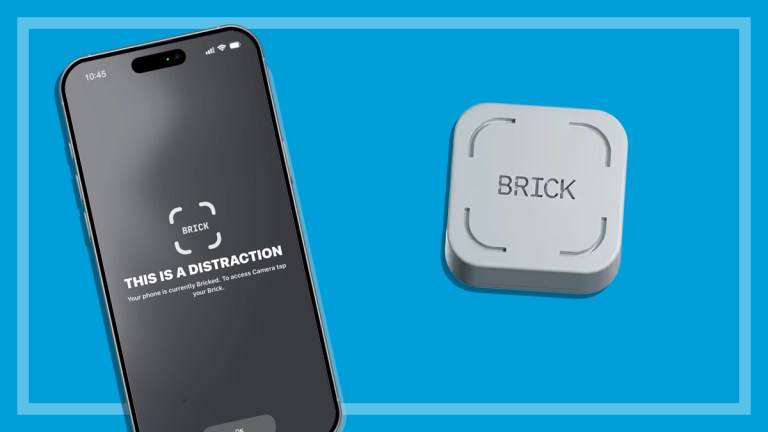
The Brick device that stopped me from doom scrolling
October 27, 2025
Letting telcos regulate themselves isn’t working for consumers
October 2, 2025
Push for Optus to be forced to prevent further triple-0 failures
September 18, 2025
First look: Nothing Phone (3)
June 23, 2025
Best mobile phones for children and teens
Older posts
Page
1
Page
2
…
Page
5
Next
Explore:
Landline Phones
Phone Plans
Back one level
Back to previous menu
Close menu
Home & living
Kitchen
Laundry and cleaning
Heating and cooling
Bedroom
Outdoor
Home improvement and energy
Review and compare
Dishwashers
Ovens
Fridges
Cooktops
Induction cooktops
Air fryers
Coffee machines
Microwaves
Food processors
All Kitchen
Advice and tools
The best fridges for big families
How to buy a great induction cooktop
How to buy the right pots and pans for induction cooking
How to buy a rangehood that works
What’s an inverter microwave?
The magic trick to make stainless steel pans non-stick (the Leidenfrost Effect)
Review and compare
Washing machines
Clothes dryers
Washer dryers
Vacuum cleaners
Robot vacuums
Stick vacuums
Steam mops
Steam stations
All Laundry and cleaning
Advice and tools
What to know before buying a washing machine
Washer dryer combos explained
How to get rid of mould
Best vacuum cleaners for pet hair
Review and compare
Air conditioners
Home heating
Air purifiers
Electric heaters
Ceiling fans
Dehumidifiers
Humidifiers
All Heating
Advice and tools
Which electric heater is best for you?
Are air purifiers worth it?
How to buy the best heating system for your home
How ceiling fans can slash your winter heating costs
What size air conditioner do I need?
Review and compare
Mattresses
Pillows
Electric blankets
Heated throw blankets
All Bedroom
Advice and tools
Our top three tips to save money on a new mattress
How to buy the right mattress topper for a good night’s sleep
How to buy a great doona
How to buy the comfiest pillow
Foam vs spring mattresses
Dodgy Derila: The nightmare pillow brand that outraged customers globally
Review and compare
BBQs
Lawn mowers
Pressure cleaners
Line trimmers
Hedge trimmers
Ride-on mowers
Blower vacs
Garden shredders
All Outdoor
Advice and tools
How to choose the right lawnmower
Hedge trimmer buying guide
Pros and cons of artificial grass
Should you consider an outdoor fire pit?
Things you can clean with a pressure washer
Review and compare
Solar panels
Smart doorbells
Hot water systems
Smart lights
Wireless security cameras
Smart locks
All Home improvement
Advice and tools
How to buy the best home solar battery storage system
Solar home battery rebate: The big changes you need to know about
Solar estimator tool
Heat pumps explained: What are they and how do they work?
All Home and living
Estimate my solar system
Technology
Home entertainment
Computers
Cameras
Phones
Gadgets
Internet
All Electronics and technology
Review and compare
TVs
Projectors
Movie and TV streaming devices
Soundbars
Digital radios
Headphones
Wireless speakers
All Home entertainment
Advice and tools
Do you own the digital media you’ve bought?
How to buy a great TV
What to know before buying new headphones
7 reasons to buy noise-cancelling headphones
TVs to avoid buying
Review and compare
Printers
Laptop and tablets
Webcams
Antivirus software
Online cloud backup
Online cloud storage
Portable storage
Paper shredders
All Computers
Advice and tools
How to find the best tablet or laptop for school
How to buy the best printer
Best NBN plans for speed
Review and compare
Digital cameras
Dash cams
Rechargeable batteries
Disposable batteries
Security cameras
All Cameras
Advice and tools
How to buy the best pet camera
What to know before buying a security camera
How to buy the best dashboard camera
Review and compare
Smartphones
Power banks
Simple mobile phones
Cordless phones
Antivirus mobile software
All Phones
Advice and tools
Mobile phones: repair or replace?
The smartphones with the longest battery life
Smartphones to avoid
How we test smartphones
Best mobile phones for children and teens
Review and compare
Ebook readers
Fitness trackers
Smart doorbells
Translation devices
Bluetooth trackers
All Gadgets
Advice and tools
What to know before buying a fitness tracker
How to use Bluetooth trackers safely
Should you get a smart doorbell?
Review and compare
NBN plans
Wireless Routers
Password managers
VPNs
Photo book services
Online cloud backup
Wireless mesh networks
All Internet
Advice and tools
How to fix Wi-Fi black spots around your home
What to do if you’ve been caught in a data breach
Australia’s best NBN provider
Money
Insurance
Banking
Financial planning and investing
Superannuation
Credit cards and loans
Property and renting
All Money
Review and compare
Health insurance
Car insurance policies
Home and contents insurance policies
Contents insurance policies
International travel insurance policies
Domestic travel insurance policies
Pet insurance policies
All Insurance
Advice and tools
Do I need health insurance? quiz
Health insurance tips and advice
How to save on home insurance
How to save money on car insurance
Should you drop extras health insurance?
Compare health insurance
Review and compare
Best high-interest savings accounts
Best fee-free bank accounts
Low-fee travel money cards
All Banking
Advice and tools
How to choose a bank account
Bank branch closures and disappearing cash
Best way to transfer money overseas
How to use PayPal Buyer Protection
The best high-interest savings accounts
Review and compare
Online will kits compared
Budgeting apps
All Financial planning and investing
Advice and tools
Wraps and master trusts
Shares buying guide
Review and compare
How to compare super funds
Super buying guide
All Superannuation
Advice and tools
What’s income protection insurance in super?
What to do if your employer doesn’t pay your super
How much do you really need to retire?
Review and compare
Credit cards buying guide
Frequent flyer credit cards
All Credit cards and loans
Advice and tools
What to do about Buy Now Pay Later debt
Afterpay plus
How to protect your credit rating
Review and compare
Contents insurance for renters
How to find a good mortgage broker
How to choose a home loan
All Property and renting
Advice and tools
How to deal with home loan delays during your property settlement
Breaking a rental lease
Tenancy databases and screening
Guide to selling your property
Black mould and renters’ rights
Babies & kids
Baby transport
Baby furniture
Child safety
Baby clothes and nappies
All Babies and kids
Review and compare
Prams and strollers
Convertible tricycle strollers
Double strollers
Portable baby seat reviews
Portable cots
All Baby transport
Advice and tools
Carriers and slings
Convertible tricycle stroller buying guide
How to buy the best double stroller or pram
How to buy the best car seats, carriers, prams or strollers
Review and compare
Portable cots
Cots
Cot mattresses
Bassinets and bedside sleepers
High chairs
Change tables
Playpens
All Baby furniture
Advice and tools
How to buy the best cot for your baby
What to know before buying a cot mattress
How to buy the best bassinet
Snoo Smart Sleeper bassinet review
How to buy safe strollers, cots and other baby products
Review and compare
Baby monitors
Safety gates
Trampolines
All Child safety
Advice and tools
How to buy the best baby monitor
Safety gates and barriers
How to choose a safe trampoline
Button battery safety failures
Review and compare
Disposable nappies
Reusable cloth nappies
Change tables
Fabric softener
All Baby clothes and nappies
Advice and tools
How to buy the best disposable and cloth nappies
The best newborn nappies – and the ones to avoid
Nappy-changing hacks for new parents
Toilet training your toddler
Travel & transport
Travel
Cars
Car accessories
Bikes
Review and compare
International travel insurance policies
Domestic travel insurance policies
Luggage
Travel money cards compared
All Travel
Advice and tools
Travel money guide
Debit cards with the lowest overseas travel fees
Travel insurance policies to avoid
Review and compare
Car insurance policies
Electric vehicles
Dash cams
All Cars
Advice and tools
New car buying guide
Car insurance policies to avoid
Should you buy car insurance from Coles, Woolworths or Aldi?
New cars are tracking everything you do. Can you stop this?
Review and compare
Car GPS and navigation apps
Tyre pressure monitoring systems
Air compressors
All Car accessories
Advice and tools
Dashboard camera buying guide
Air compressor buying guide
How to buy the best roof box for your car
What to look for in a car phone holder
Review and compare
Electric bikes
All Bikes
Advice and tools
Choosing the right bike for your needs
Folding bikes
How to buy bicycle insurance
What to know before buying an electric bike
Food & health
Food
Supermarkets and food delivery
Health and body
Review and compare
Tea Bag Reviews
Olive Oil
Reusable coffee cups
Reusable water bottle
Supermarket ready meals
Instant coffee
Hot cross buns
All Food
Advice and tools
Food additives to avoid
Choosing the best milk alternative
How to buy the best Greek yoghurt
How to buy the best cooking oil
Which supermarket has the cheapest groceries?
Review and compare
Online grocery delivery services
Food box and prepared meal services
Food delivery service apps
All Supermarkets
Advice and tools
Using online grocery delivery services
A guide to food delivery service apps: Uber Eats, Menulog, Deliveroo and more
Supermarket pricing
Home-brand products that outperform big-name brands Yellow Star
Review and compare
Health insurance
Sunscreens
Fitness trackers
Period underwear
Blood pressure monitors
Hair dryers
Electric shavers
Electric toothbrushes
All Health and body
Advice and tools
What is the best sunscreen for babies and kids?
How we test sunscreen
8 common sunscreen myths debunked
How to measure your blood pressure
We tested the SPF claims of 20 sunscreens. 16 failed
Consumer rights
Consumer rights
Petitions
Data protection & privacy
Investigations & news
Shopping
All Consumer rights
Your rights
Know your consumer rights
Data privacy and safety
Make a complaint
All Your rights
Product reliability
Do you need an extended warranty?
What to do with a faulty product
Problems with a service: what you can do
Misleading pricing – what is it, and what are your rights?
What to do when a company collapses
The Shonky Awards
Unfair bank fees
Safer product laws
Fairer grocery pricing
Keep cash accessible
Make unfair illegal
Ban card surcharges
Your data
Data privacy and safety
Data laws and regulation
Who has your data
How your data is used
All Data protection & privacy
Advice and tools
Kmart, Bunnings and The Good Guys using facial recognition technology in stores
RentTech platforms: How your data is used against you
PayID scams: How criminals are exploiting this ‘safe’ payment system
Can the government stop petrol price gouging in Australia?
Does travel insurance cover war?
Households stuck on the gas network to face soaring energy bills
Are cryptocurrency ATMs really just scam machines?
‘If they log the whole forest we will die’
TGA acts following CHOICE sunscreen investigation
Shopping
Everyday shopping
Online shopping
Packaging, labelling and advertising
Services and utilities
All Shopping
Advice and tools
Woolies online shopping leaves some customers out of pocket
Scam ads rampant on popular social platforms
Eco labels – too many, and too confusing?
The problem with some energy bill comparison sites
EOFY sales 2026: Everything you need to know
Search by room
Kitchen
Bedroom
Laundry
Nursery
Garage
Outdoor
Energy
Our tools
Health insurance
Do I need health insurance?
Solar Estimator
Can I save on energy?
Product reviews A-Z
CHOICE Magazine
Newsletters
For businesses
Membership
About us
CHOICE Community
Media