Ultraportable laptops review

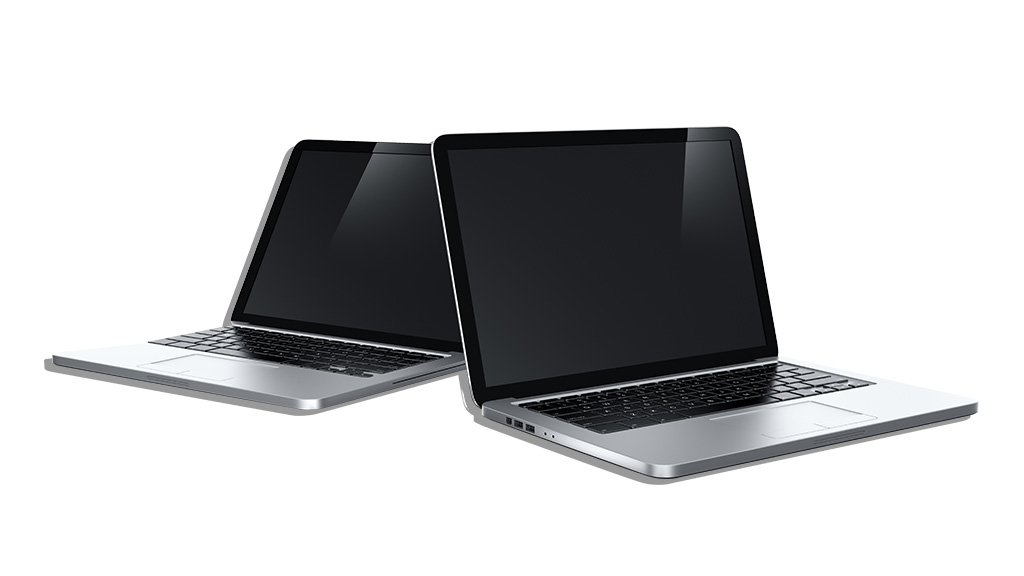
Ultraportable laptops can do most of your computing tasks while on the go.
 
Get access to all CHOICE BENEFITS
$1.91/wk
*Billed quarterly


  • Updated:16 Oct 2008
  • Author:Steve Duncombe
  • rateraterateraterate: Member rating
 

01 .Introduction

Man in field

Test results for 8 ultraportable laptops from $1600 to $3000

If you’re always on-the-go and don’t want to leave your home or office behind, you need a laptop that won’t weigh you down — and that’s where the ultraportable category shines.

Ultraportables give you most of the power and features of a full-size notebook computer, but in a smaller, lighter package that’s easy to carry around.

We bought and tested eight ultraportable laptops and rated them for performance, battery life and ease of use. These laptops are designed for portability, multimedia and internet use with good battery performance.

All included an Intel Core 2 Duo processor and all but the Sony had 2 gigabytes (GB) of memory (RAM) Two of our test ultraportables came with a hard drive that’s comparatively a little on the small side: the Apple with 80 GB and the Sony with 100 GB. The Dell, Toshiba and Twinhead had good-sized 160 GB drives, while the BenQ, Lenovo and Pioneer each had a roomy 250 GB hard drive.

The Overall score listed in the table can’t be directly compared with the Overall score in our last multimedia laptops test, because of different weighting factors in the calculations that produce the overall score. However, we have also included the PCMark Vantage benchmark score for both category tests to allow direct performance comparisons.

Models tested

  • Apple MacBook Air
  • BenQ Joybook X31-PE04
  • Dell XPS M1330
  • Lenovo IdeaPad U110
  • PioneerDreamBook Light M72R
  • Sony Vaio TZ36GN/W
  • ToshibaPortege M800
  • Twinhead J13S
For more affordable laptops, view our review article on budget laptops for more details.   

Please note: this information was current as of October 2008 but is still a useful guide to today's market.

Video: Different notebook PC types

Georgina takes a look at the different types of laptop on the market.

Georgina takes a look at the different types of laptop on the market.

Different laptop types


The following models scored the best results in our test 

What to buy
Brand Price
Dell XPS M1330 $1798
BenQ Joybook $1699
Toshiba Portege M800 $2310
Apple MacBook Air $2499

Results table

Full results for all models are shown in the table below

  Performance
Brand Overall (100%) Ease of use (50%) Battery life (30%) PCMark Vantage score Price RRP $
Dell XPS M1330
www.dell.com.au
78 81 69 3410 1798
BenQ Joybook X31-PE04
www.benq.com.au
73 75 68 2723 1699 [a]
Toshiba Portege M800
www.toshiba.com.au
73 76 66 3022 2310
Apple MacBook Air
www.apple.com.au
72 78 64 2030 [c] 2499
Lenovo Ideapad U110
www.lenovo.com.au
71 74 69 2003 2999
Sony Vaio TZ36GN/W
www.sony.com.au
71 79 70 927 2920 [a]
Twinhead J13S
www.twinhead.com.au
68 66 66 2737 1599
Pioneer DreamBook M72R
www.pioneercomputers.com.au
65 71 46 2931 1725


  Energy use Features
Brand Annual standby energy consumption (20h/d) (kWh/y) Annual active energy consumption (4h/d) (kWh/y) Annual energy cost ($) based on 4h/d Active +20h/d Standby USB ports Video out, position [b] Recovery disc supplied Recovery partition Card Reader, position [b]
Dell XPS M1330
www.dell.com.au
8 47 9.33 2 VGA, L; HDMI, L 8-in-1; F
BenQ Joybook X31-PE04
www.benq.com.au
6 40 7.92 3 VGA, L; HDMI, R 4-in-1; R
Toshiba Portege M800
www.toshiba.com.au
9 56 11.15 3 VGA, L [g] 6-in-1; F
Apple MacBook Air
www.apple.com.au
6 24 5.04 1 Mini-DVI, R
Lenovo Ideapad U110
www.lenovo.com.au
7 39 7.67 3 VGA, L 6-in-1; R
Sony Vaio TZ36GN/W
www.sony.com.au
10 21 5.23 2 VGA, R 2; F
Twinhead J13S
www.twinhead.com.au
11 35 7.82 3 VGA, L 4-in-1; F
Pioneer DreamBook M72R
www.pioneercomputers.com.au
10 54 10.85 3 VGA, L 7-in-1; L


  Features
Brand Antivirus, licence [d] Firewall, licence [d] Anti-spyware, licence [d] Operating system Warranty (years) [e] Warranty type [f]
Dell XPS M1330
www.dell.com.au
• (30 days) • (30 days) • (30 days) Vista Premium 1 Onsite
BenQ Joybook X31-PE04
www.benq.com.au
• (90 days) • (90 days) Vista Premium RTB, PnR
Toshiba Portege M800
www.toshiba.com.au
• (90 days) • (90 days) • (90 days) Vista Business [i] 3 PnR
Apple MacBook Air
www.apple.com.au
Mac OS X 10.5 1 RTB, PnR
Lenovo Ideapad U110
www.lenovo.com.au
• (90 days) • (90 days) Vista Premium 1 PnR
Sony Vaio TZ36GN/W
www.sony.com.au
• (90 days) • (90 days) • (90 days) Vista Business [i] 1 ns
Twinhead J13S
www.twinhead.com.au
Vista Premium ns
Pioneer DreamBook M72R
www.pioneercomputers.com.au
• (1 year) • (1 year) • (1 year) Vista Premium 1 RTB


  Specifications
Brand Weight including battery (kg) Weight of power supply and cordage (g) Unit dimensions (HxDxW) cm * Hard drive (GB) Optical drive [b] Processor type Screen size (in) Max. screen resolution Battery life (Hours:Minutes) heavy usage
Dell XPS M1330
www.dell.com.au
2 544 3.3 x 23.8 x 31.8 160 DL-DVD, R Intel Core 2 Duo 2.4 13.3 1280 x 800 2:42
BenQ Joybook X31-PE04
www.benq.com.au
1.9 420 2.5 x 22.9 x 32 250 DL-DVD, R Intel Core 2 Duo 1.6 13.3 1280 x 800 2:36
Toshiba Portege M800
www.toshiba.com.au
2 471 3.5 x 22.9 x 31.4 160 DL-DVD, R Intel Core 2 Duo 2.4 13.3 1280 x 800 2:29
Apple MacBook Air
www.apple.com.au
1.4 361 2.1 x 22.8 x 32.5 80 Intel Core 2 Duo 1.6 13.3 1280 x 800 2:20
Lenovo Ideapad U110
www.lenovo.com.au
1.1/1.3 335 2.2 x 19.6 x 27.5 250 DL-DVD, ext. Intel Core 2 Duo 1.6 11.1 1366 x 768 0:47/2:43
Sony Vaio TZ36GN/W
www.sony.com.au
1.2 330 2.9 x 19.8 x 27.7 100 DL-DVD-RAM, R Intel Core 2 Duo 1.2 11.1 1366 x 768 2:47
Twinhead J13S
www.twinhead.com.au
2.1 403 4.4 x 22.6 x 30.5 160 DL-DVD, R Intel Core 2 Duo 2.4 13.3 1280 x 800 2:29
Pioneer DreamBook M72R
www.pioneercomputers.com.au
2 433 4.1 x 22.5 x 29.9 250 DL-DVD, R Intel Core 2 Duo 2.1 12.1 1366 x 768 1:17
 

Table notes

  1. Price RRP inc GST as at September 2008. Note that specifications on some models may have changed slightly, particularly with online build-to-order brands. Check all specifications, options and pricing carefully before ordering.
  2. Ease of use (50% of Overall) based on three different, specific user panels.
  3. Battery life (30% of Overall) based on one test, simulating heavy usage when using the battery as the power source.
  4. Performance (20% of overall) based on the performance of benchmark software and an expert user panel assessment of the display screen.
  5. PCMark Vantage scores These are the raw benchmark scores and only included in this table as a point of comparison for past and future notebook performance tests using this software.
  6. Specifications
    Weight (including battery) commonly referred to as the ‘travel weight’, not including mains cord/power supply.
    Weight of power supply/ cord weighed separately.

    Unit dimensions the dimensions of the notebook.
    Hard drive (GB) the included hard disk size, in gigabytes.
    RAM (GB) the amount of memory installed, in gigabytes.
    Optical drive the type of optical disc drive and it’s location.
    Processor type the Intel family and speed.
    Screen size measured in inches diagonally, all are widescreen.
    Max. screen resolution is the maximum supported screen resolution in pixels.
    Claimed battery capacity measured in milliamp hours at specified volts.
    Battery life average in hours and minutes under heavy usage.
  7. Energy use Standby energy consumption and active energy consumption in kilowatt hours per year (kWhr/y); plus annual energy cost on the average usage scenario of 20 hours per day standby and 4 hours per day active, calculated at 17c per kWh.
  8. Features
    USB ports the number of USB connections; FireWire whether the product has a 4-pin IEEE 1394 (FireWire) connection, and its location.
    Video out port type, quantity and location for video output to a monitor or TV.
    Recovery disc whether a bootable disc is supplied with Windows and other bundled software.
    Recovery partition whether a hard disk partition is supplied with Windows and other bundled software for recovery purposes.
    Card reader + location number, location and type of memory card slot — common formats include Memory Stick, Memory Stick Pro, Secure Digital (SD), MultiMediaCard (MMC), xD-Picture Card (xD) and CompactFlash.
    Antivirus if software is supplied and licence duration.
    Firewall software in addition to Windows or OS X firewall software, if supplied and licence duration.
    Anti-spyware software, if supplied and licence duration.
    Operating System Windows XP or Vista Premium or Business, or Mac OS X.
    Warranty (years) length of standard warranty.
    Warranty type limited parts and labour warranty — Return to base (RTB), Onsite or Pickup and return (PnR).
    ns = not stated.

Footnotes:

[a] Discontinued, but may still be available in stores, possibly at a discount, except the Sony, which has been recalled and is no longer available.
[b] Relates to the positioning of the optical drive, IEEE 1394 ports, video and audio ports, plus the multimedia card reader (L = Left, R = Right, F = Front).
[c] Performance benchmarks were conducted under Windows Vista.
[d] Time period for trial version of software e.g. 90 days.
[e] Consumers are advised to check the conditions of the warranty period before making a purchase e.g. 3-year warranty can mean 1st year parts and labour, 2nd and 3rd years parts only.
[f] Optional upgrades may be available for warranty type, check with the retailer or laptop manufacturer.
[g] User can create restore disc using supplied software.
[h] Second year of warranty at no cost but requires registration.
[i] Also includes XP Pro downgrade option.
[j] Third year of warranty at no cost but requires registration and includes labour only, not parts.
Note: All laptops had a built-in webcam, microphone and Wi-Fi (wireless networking). All but the Pioneer had Bluetooth built in.

How we tested

An expert user panel rated the design of each laptop, looking at:

  • Ease of opening/closing and stability when open.
  • Screen quality and visibility.
  • Status lights/indicators -- type and visibility.
  • Ease of removal/insertion of DVD/CD and battery.
  • Connection placement, labelling and ease of access.
  • Design flaws and advantages; overall style.

A general user panel judged the laptops for comfort and usability, looking at:

  • The touchpad and keyboard -- including comfort, ease of use, responsiveness, position, angle, key size and shape, overall size and other factors.
  • Wrist rest comfort.
  • Laptop handling (comfort/grippiness) and weight.
  • Quality of display screen (additional to the expert LCD assessment panel).

Our expert tester assessed each laptop for:

  • Performance, including benchmarking with the PCMark Vantage software tool.
  • Battery life.
  • Security (hardware and software).
  • Power consumption -- active and standby.
  • Ease of transferring /synchronising data.
  • Monitor visibility indoors and outdoors, controls.
  • The manuals, help files and support options.
  • Recovery systems (disc, partition).

Our expert LCD assessment panel assessed each laptop screen for:

  • Sharpness/focus, colour accuracy, brightness, contrast, glare/surface reflection, distortion, evenness/hot spots, viewing angles and DVD playback.

Boot time and temperature

We also looked at how long the computer takes to boot up and its maximum operating temperature, though neither was included in the overall scoring.

The maximum operating temperature was measured after playing a DVD for one hour. The tester then measured the heat on the base of the unit. It failed this test if it reached more than 44 degrees Celsius.

Profiles - What to buy

Dell XPS M1330

Dell XPS

Price $1798

Good points

  • Best overall.
  • Best ease of use.
  • Best performance.
  • Relatively low price.
  • Battery has built-in status meter.
  • Bag, noise isolation earbuds, ExpressCard, remote control included.
  • On-site warranty.

Bad points

  • Lowest rated LCD screen by expert LCD assessment panel.
  • Relatively heavy.
  • Only one-year warranty.

BenQ Joybook X31-PE04*

BenQ

Price $1699

Good points

  • Equal second best overall.
  • Relatively low price.
  • Roomy (250 GB) hard drive.
  • Two-year warranty (requires registration).

Bad points

  • No third-party firewall software.

*Soon to be replaced with the X32, featuring the new Centrino 2 chipset.

Toshiba Portege M800

Toshiba

Price $2310

Good points

  • Equal second overall.
  • Good quality speakers.
  • Three-year warranty.

Bad points

  • Hottest laptop tested (failed comfortable temperature test).
  • Relatively heavy.
  • Highest power usage.

Apple Macbook Air

Apple macbook

Price $2499

Good points

  • Judged most stylish by expert panel.
  • Excellent data migration/synchronisation.
  • Excellent touchpad and keyboard.
  • Lowest power usage and running cost.
  • Excellent software bundle included.

Bad points

  • Failed comfortable temperature test.
  • No Ethernet port or multimedia card slot.
  • No optical drive.
  • No fingerprint reader or lock slot.
  • Battery not removable.
  • Only one USB port.
  • Only one-year warranty.

Profiles - the rest

Lenovo Ideapad U110

Price $1798

LenovoGood points

  • Additional battery supplied as standard.
  • Best rated LCD screen.
  • External DVD burner (dual-layer DVD-RW) included.
  • Roomy (250 GB) hard drive.
  • Bag included.

Bad points

  • Only one-year warranty.
  • Shiny surfaces easily marked by fingerprints.
  • No third -arty firewall software.

Sony VAIO TZ36GN/W

Sony vaio

Price $1798

Good points

  • Best battery life.
  • Good sound quality via speakers.

Bad points

  • Lowest performance score.
  • Slowest boot time.
  • Only one-year warranty.

Twinhead J13S

Price $1798 Twinhead

Good points

  • Lowest priced.
  • Fastest boot time.
  • Carry bag included.
  • Three-year limited warranty (requires registration).

Bad points

  • No antivirus, third-party firewall or anti-spyware software.
  • Lowest ease of use.
  • Heaviest laptop in this test.

Pioneer Dreambook Light M725R

Pioneer dreambook light

Price $1798

Good points

  • Relatively low cost.
  • Good ease of use.
  • Good performance score.
  • Roomy (250 GB) hard drive.
  • Bag included.

Bad points

  • Failed comfortable temperature test.
  • Only one-year warranty.
  • Shortest battery life.
  • Shiny surfaces easily marked by fingerprints.
  • Relatively heavy.

Battery life

If you spend much time away from mains power you’ll appreciate an extra battery or the option of a larger one. Of the tested laptops only the Lenovo shipped with a second battery as standard equipment. It was supplied with both a 4-cell and a 7-cell battery, giving you the option of trading off size and weight against battery life.

The 7-cell battery gave the Lenovo the second-highest battery life score, just one minute ahead of the Dell and four minutes behind the top-scoring Sony which lasted 2 hours 47 minutes in heavy usage. By contrast, the Lenovo’s 4-cell battery lasted only 47 minutes, making it a nice emergency fallback option, but not very useful as a main battery.

Security

The ability to secure your personal information is all the more important with an ultraportable, due to the higher risk of theft, loss or accidental damage that comes with mobility.

Five of the eight ultraportables tested included a fingerprint reader for security — the BenQ, Dell, Pioneer, Sony and Toshiba.

A fingerprint reader can be set up to grant instant access to the computer without having to type in a password. Our testing had a 100% success rate in stopping access by people who didn’t have a fingerprint registered on the system. For stronger security however, we recommend that you also have a password as an alternative access option.

The Lenovo includes facial recognition software, called VeriFace, which works using the built-in webcam. Quite simply, your face becomes your password. This can also be set up to grant you access to other programs that may require a password, such as email.

In our testing the VeriFace system worked well, but it may not work properly in low-light areas or when wearing a hat or reflective glasses. While convenient, we don’t recommend using either VeriFace or fingerprint security as the sole means of access to the computer, nor should it be a major factor in selecting one.

Design and construction

Our expert user panel assessed all the ultraportables for design and construction to see which had the best usability and features.

Best for ease of battery insertion and removal was the Toshiba, while the Dell was a clear winner for status lights/indicators, including a battery status meter on the battery itself for quick reference. The Sony also had a handy power status light on the power cord. For ease of opening and closing the lid the BenQ and Dell were best, allowing easy one-handed operation, with the Apple not far behind.

The Sony was considered to have the best design overall, with a good colour scheme, easily accessible multimedia buttons and a touchpad with both horizontal and vertical scrolling. The Apple was considered the most stylish, with its outstanding features being its slim shape, clean lines, large multi-touch touchpad and was less prone to marking.

Keyboard comfort

Our general user panel found that three Ultraportables stood out for keyboard comfort, with the Apple ranked as ‘excellent’ by all users. Next were the Dell,Toshiba and Twinhead, all rated as ‘very good’.

The Apple also got the nod from our panel for best touchpad, with a rating of ‘excellent.’ The touchpads of the BenQ, Dell, Pioneer and Twinhead all rated as ‘very good’.

Heat generated

Heat underneath an ultraportable is an important consideration as it’s likely to spend quite some time sitting in your lap. Three ultraportables failed our temperature test — the Apple, Pioneer and Toshiba — with the Toshiba registering the hottest at 60-62ºC, which is too hot to touch. Our pass/fail temperature is 44 ºC.

The Pioneer registered 49-54 ºC and the Apple was 46-49 ºC at its hottest point. Though it passed our comfortable temperature test, the Sony was recently the subject of a product recall due to overheating around the power socket (not the underside where we test for heat). This affected all Vaio TZ series models. See Sony’s website for more information.

Weight

The trade-off for power and features is a heavier laptop to carry and every extra bit of weight counts when out on the road.

Of the eight laptops tested, half weighed 2 kg or more, which is at the upper limit of this category. The Dell, Pioneer and Toshiba all tipped the scales at 2kg, with battery attached. The BenQ just squeaked under, with 1.9 kg. The Twinhead was the heaviest at 2.1 kg.

Movies

Although small, ultraportables are often expected to cope with just about anything a full-sized laptop can handle, and that includes multimedia. After all, who doesn’t like a bit of entertainment when travelling? All but one of the ultraportables came with a dual-layer DVD burner built in. The odd man out was the Apple, which requires an optional (extra cost) external optical drive.

The ability to play DVD movies can be great for travelling, but two models — the Sony and the Toshiba — won’t do so out of the box. Both these laptops come standard with the Windows Vista Business operating system, which lacks support for DVD playback without the addition of MPEG2 decoder software.

For testing, we installed the Cineplayer DVD Decoder pack ($US15) from the Microsoft website (Microsoft.com), but you can also use the free K-Lite codec pack (codecguide.com) or the excellent free VLC media player (videolan.org).

Screen quality

Our expert LCD assessment panel compared the screen quality of each laptop. The Lenovo and Sony were judged most impressive, with a rating of ‘very good.’ The Apple was close behind, rated in the upper end of the ‘good’ scale.

Sound

You shouldn’t expect high-fidelity sound from an ultraportable, but two of the tested models sounded surprisingly good. Ironically, these were the same two that lacked the movie-playing software components mentioned above, the Sony and the Toshiba. Both produced good, balanced sound and handled low, mid and high tones well.

The remaining six notebooks struggled to produce clear-sounding audio from their tiny speakers. Much of the output was muffled, flat sounding, ‘tinny’ and had poor bass levels. The Dell included a set of Creative noise-isolation earbud headphones in its extras. All the laptops in this test included a built-in microphone and webcam.

Data storage

A multimedia card reader can be very handy for storing and transferring images and data. All the ultraportables tested had built-in multiple format card readers, except the Apple, which didn’t have a reader at all. The Dell had the most versatile reader, an 8-in-1 unit that handles most popular formats.

Running time

In all, seven laptops recorded an average time of well over two hours when running multimedia in our heavy usage test, which is a decent usable life and usually enough to watch a full DVD movie. They were the Apple, BenQ, Dell, Lenovo (with the supplied 7-cell battery), Sony, Toshiba and Twinhead. Falling short of the two-hour mark by a large margin was the Pioneer, which endured only one 1 hour 17 minutes in heavy usage. A second battery would be highly desirable.

Running costs

Ultraportable laptop computers are designed to be very frugal with power consumption and the cost of running them is almost negligible. We measured power consumption and calculated the running cost per year, based on a usage scenario of 4 hours active and 20 hours on standby per day.

The cheapest to run was the Apple at just $5.04 per year, while the most expensive was the Toshiba, at $11.15. By comparison, a standard desktop computer using 771 kWh per year would cost $131.07 — that’s nearly 12 times as much.

If you want to compute on-the-cheap as well as on-the-go, an ultraportable is about as cheap as you can get and a much greener option to boot.

Just over 4300 subscribers took part in the 2008 CHOICE Computer Reliability Survey, asking which asked users to rate the reliability of, among other appliances, their laptops in normal, everday use.

Laptops have a high level of reliability, with 82% overall not needing any repairs in the previous 12 months. However, it should be noted that reliability figures represent relatively new laptops — those bought between 2004 and 2007. The most reliable brands for laptops are Dell and IBM/Lenovo (86% did not need repairing in the last 12 months), followed by Apple and Acer (83%).

Repairs table

Loyalty table

How to comment

Here's your chance to join in the debate. Just click in the comment box and let the CHOICE Community know what you think, or view all of the comments on this article.

Reporting offensive comments

If you see something offensive or something that just shouldn't be there, hit the report button and let us know immediately. View the Terms of use for user comments.


Make a Comment